

LinkedIn Premium Business is the step up from a free account for people who network, sell and build a brand on LinkedIn. This guide explains exactly how to buy it in the USA, what it costs, what you get, and how to decide between buying direct, using the free trial, or getting it at a special price through CodeX Link.
Business Premium price in the USA at a glance
| Option | Official monthly billing | Notes |
|---|---|---|
| LinkedIn Premium Business (monthly) | about $59.99 / month | Plus state sales tax |
| LinkedIn Premium Business (annual) | Lower per month; shown at checkout | One payment for the year |
| Free trial | Free for one month | Card required; cancel before renewal |
| Business Premium from CodeX Link | Ask price | Voucher or on your own account |
Official prices vary with billing period and promotions, and sales tax depends on your state. LinkedIn shows the final price at checkout.
| Plan | Price |
|---|---|
| LinkedIn Premium Career | Ask price |
| LinkedIn Business Premium | Ask price |
| LinkedIn Sales Navigator | Ask price |
| LinkedIn Verification Badge | Ask price |
For the full feature and value breakdown, see our Business Premium price in the USA guide.
What you get with Business Premium
- Unlimited people browsing so you are not capped by the commercial use limit on search.
- More InMail each month to message people outside your network.
- Who viewed your profile for the last 365 days, with insights.
- Company and competitor insights such as headcount and growth trends.
- LinkedIn Learning with thousands of courses included.
- A Premium badge and top-of-list placement in some searches.
Option 1: Start the free trial
LinkedIn usually offers a one-month free trial of Premium Business to eligible members. It is the easiest way to see the value before paying.
- Open your profile menu or the LinkedIn Premium page.
- Choose Premium Business and start the free trial.
- Enter a card; you are not charged until the month ends.
- Set a reminder to cancel before renewal if you do not want to continue.
Option 2: Buy directly from LinkedIn
- Open the Premium page while signed in and select Premium Business.
- Choose monthly or annual billing. Annual lowers the monthly cost.
- Enter your card; LinkedIn adds any sales tax at checkout.
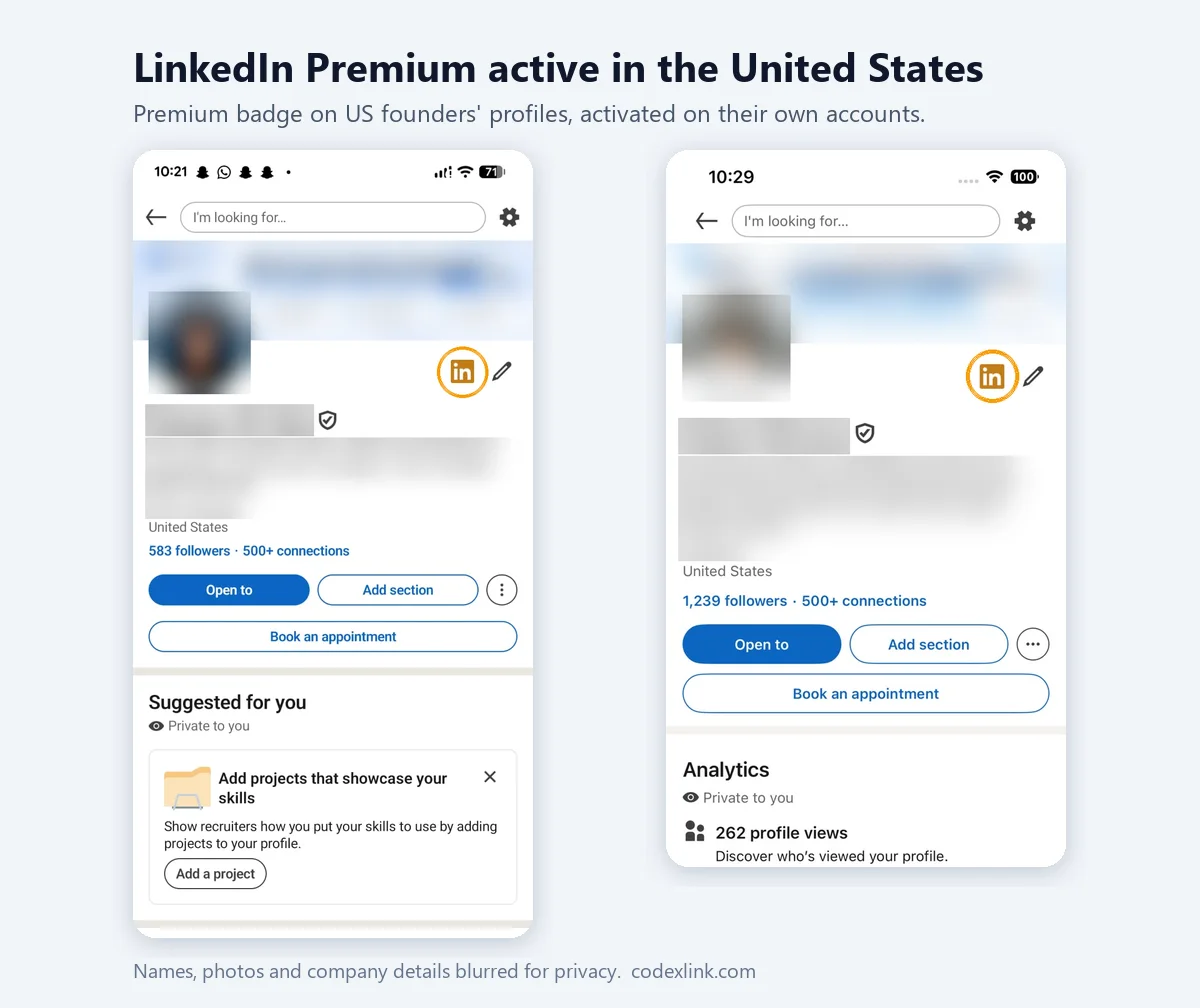
- Premium is active immediately, and the badge appears on your profile.
Option 3: Buy through CodeX Link at a special price
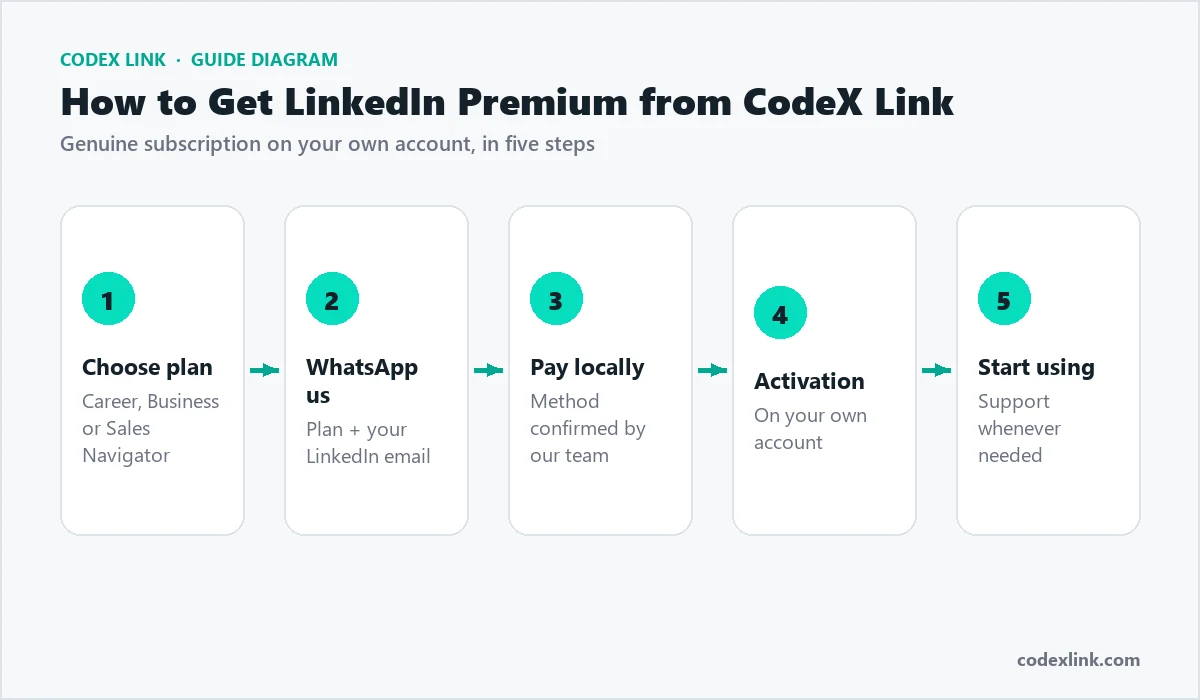
CodeX Link offers Business Premium at a special price in two ways: a voucher activation that needs no login details, or an upgrade applied to your own account for a longer term.
- Open the Business Premium page or the marketplace.
- Choose the plan at a special price. Ask price
- Follow the activation steps the team sends for your own account.
- Confirm the Premium badge on your profile.
Business Premium vs a free LinkedIn account
A free LinkedIn account is enough to maintain a profile, post and message your existing connections, but it has a hidden ceiling: the commercial use limit caps how many searches and profiles you can view each month, and it has no InMail. For anyone using LinkedIn to grow a business, that ceiling arrives fast. Business Premium removes it with unlimited browsing, adds InMail to reach people you are not connected to, and layers on insights and Learning. In short, free is fine for keeping a presence; Premium is for actively building one.
Who should wait on Business Premium?
Business Premium is not for everyone right now. If you rarely open LinkedIn, have not yet completed your profile, or are not ready to post and reach out, the free account is enough until you are. The features only pay off when you use them, so it is better to build the habit first and subscribe once LinkedIn is part of your weekly routine. Starting with the free trial is the low-risk way to find out whether you are ready before you commit to paying.
Keeping your subscription working for you
A common mistake is to buy Business Premium, use it heavily for a fortnight, then let it drift. The subscription only pays off when it is part of a routine. Block fifteen minutes a day: check who viewed your profile, reply to any engagement on your posts, send one or two thoughtful InMails, and note anything worth following up. Over a month that adds up to real relationships and enquiries for very little time. If you ever find you have gone weeks without opening these features, that is the signal to either recommit to the habit or pause the plan until you will use it, rather than paying for a tool that sits idle.
LinkedIn Learning: an underrated benefit
Business Premium includes LinkedIn Learning, thousands of courses on business, technology and creative skills, and most buyers forget to use it. That is money left on the table. Completing even one course a month keeps your skills current, and the certificate appears on your profile where prospects and partners can see it. For founders and consultants, visible, ongoing learning is quiet proof of credibility, and it costs nothing extra once you hold the subscription.
Measuring your results
Treat Business Premium like an investment and watch a few simple numbers: profile views and search appearances, the reply rate on your InMails, connection acceptances, and enquiries or meetings that trace back to LinkedIn. If those numbers climb over a few months, the subscription is paying for itself many times over. If they are flat, the fix is almost always more consistent posting and a sharper profile, not a different plan.
Business Premium for founders and owners
For a US founder or small business owner, Business Premium is less about raw sales features and more about presence. Unlimited browsing means you can research partners, investors and customers without hitting the free limit, the Premium badge adds a note of credibility, and company insights help you understand the firms you want to work with. Many owners use it alongside regular posting: the content builds authority, and Premium's features help them follow up with the people that content attracts. One new relationship from this loop can be worth far more than a year of the subscription.
Business Premium for consultants and coaches
Consultants, coaches and fractional executives win work through trust, and LinkedIn is where much of that trust is built in the US market. Business Premium helps in three ways: InMail lets you reach prospects who are not yet connections, "who viewed your profile" surfaces warm leads who are already curious about you, and LinkedIn Learning lets you add fresh certificates that reinforce your expertise. Combine these with a clear, benefit-led profile and a steady drip of useful posts, and Premium becomes a quiet engine for inbound enquiries.
Business Premium for agencies and freelancers
Agencies and freelancers in marketing, design, development and video can use Business Premium to research prospects deeply before reaching out, so each message lands with context. Company insights reveal which target firms are hiring or growing, which is often the best moment to pitch a service. Because agency work is relationship-driven, the ability to message beyond your network with InMail, and to see who is viewing your profile, turns LinkedIn into a steady source of qualified conversations rather than cold, one-off outreach.
Building authority with LinkedIn content
The biggest returns from a Premium account often come not from its features but from how it supports content. Posting useful, specific insights two or three times a week builds an audience of exactly the people you want as clients. Premium then helps you convert that attention: you can see who engaged, message new contacts, and follow companies that interact with your posts. Think of Business Premium as the toolkit that turns your content into relationships, and your relationships into business.
Monthly or annual billing: which to choose
Monthly billing costs a little more but lets you pause any time; annual billing lowers the monthly cost and suits anyone who will use LinkedIn seriously all year. If you are new to a paid plan, start with the free trial or a monthly plan, prove the value, then move to annual once it is part of your routine. Note the renewal date so a change is never a surprise.
Common mistakes when buying Business Premium
- Buying before completing your profile. Premium features send people to your profile; make sure it converts.
- Treating InMail as spam. A short, relevant note beats a template every time.
- Ignoring the free trial. Use it to confirm the value before you pay.
- Choosing Business Premium when you prospect daily. If selling is your main motion, Sales Navigator fits better.
- Sharing your password. A genuine plan is activated by voucher or on your own account, never by handing over your login.
Your first 30 days with Business Premium
- Week 1: rewrite your headline and About section around the value you deliver, and turn on Creator mode if you will post.
- Week 2: start posting two or three useful insights, and review who viewed your profile.
- Week 3: send a handful of personalised InMails to warm viewers and ideal prospects.
- Week 4: complete a LinkedIn Learning course, add the certificate, and measure which posts and messages worked.
Business Premium vs Sales Navigator: which to buy
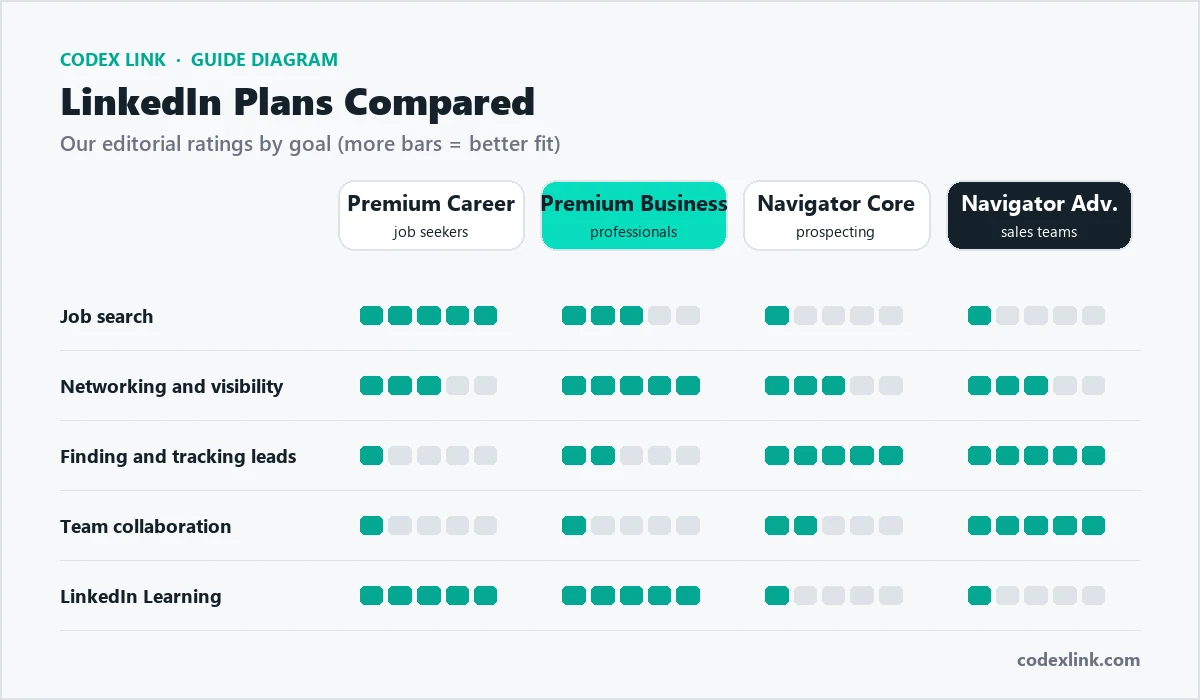
Business Premium gives unlimited browsing and some InMail, which is plenty for networking, personal branding and light prospecting. Sales Navigator is built for daily selling, with advanced lead filters, saved searches, alerts and lists. If you prospect every day, buy Sales Navigator. If you network, publish and sell occasionally, Business Premium is the better value. Read our guide to buying Sales Navigator in the USA to compare.
Who should buy Business Premium in the USA?
- Founders and small business owners building relationships and a personal brand.
- Consultants and coaches who win clients through LinkedIn content and outreach.
- Agencies and freelancers in marketing, design, development and video.
- Realtors and financial professionals, within their firm's compliance rules.
- Job seekers aiming at leadership roles who also want company insights and Learning.
Payment, billing and cancellation
LinkedIn bills Business Premium in US dollars to major cards and adds sales tax by state. You can move between monthly and annual billing, update your card and download invoices in settings. Monthly cancels at the period end; annual runs to renewal. A voucher plan bought through CodeX Link simply ends on its date, with nothing to cancel.
Getting the most from it
- Complete your profile so visitors who find you through Premium features convert.
- Use InMail sparingly and personally; a relevant, short note beats a template.
- Check who viewed your profile weekly and follow up with warm viewers.
- Take one LinkedIn Learning course a month and add the certificate to your profile.
- Watch company insights to time outreach when a target company is hiring or growing.
Is it worth buying?
For US professionals who use LinkedIn to grow a business or brand, Business Premium is usually worth it: one new client or opportunity covers a year of the subscription. Start with the free trial to see the value, then buy direct or get it at a special price through CodeX Link. Ask price
How CodeX Link can help
Get genuine LinkedIn Business Premium at a special price from the CodeX Link marketplace. Email support@codexlink.com or WhatsApp +92 343 5673902. Also read Business Premium price in the USA and how to get clients on LinkedIn.