
AI is no longer only for large companies. Small teams now use it to answer customers at night, follow up every lead and remove hours of copy-and-paste work each week. Here are ten tasks that are ready to automate, and how to start without risk.
Customer-facing tasks
1. Answering common questions 24/7
An AI chatbot trained on your services, prices and policies can answer routine questions on your website or WhatsApp instantly, and hand complex cases to a person.
2. Qualifying leads
An AI assistant can ask new enquiries the right questions (budget, timeline, requirements) and send your sales team only the leads worth calling.
3. Booking appointments
Let customers book, reschedule and receive reminders automatically, synced with your calendar.
4. Following up with every lead
Automated, personalised follow-up messages make sure no enquiry is forgotten after a busy day.
Back-office tasks
5. Processing documents
AI can read invoices, receipts and forms, extract the important fields and enter them into your systems.
6. Sorting email
Route incoming email to the right person, draft replies to routine requests and flag urgent messages.
7. Updating your CRM
Log calls, emails and form submissions automatically so customer records are always current.
8. Creating reports
Pull numbers from sales, ads and accounting tools into a weekly summary written in plain language.
9. Drafting content
Generate first drafts of product descriptions, social posts and newsletters for your team to review and polish.
10. Monitoring and alerts
Watch stock levels, website uptime or overdue invoices and alert the right person before small problems grow.
How to start safely
- Pick one repetitive task that wastes the most time, and automate it first.
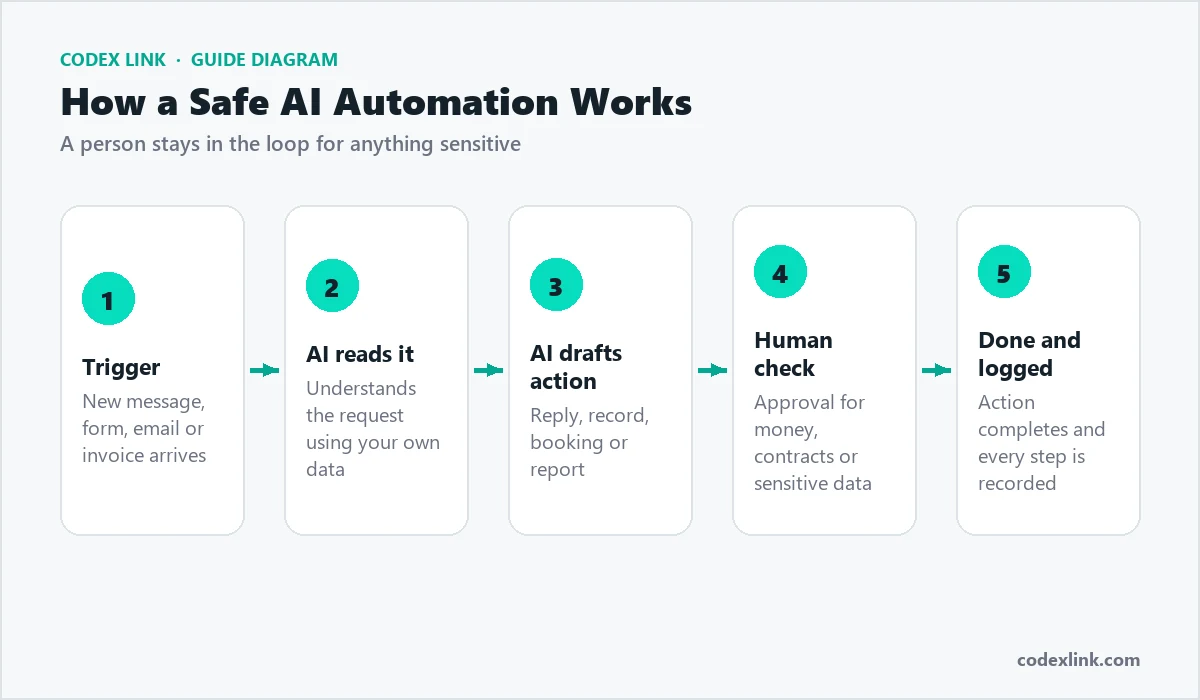
- Keep a human in the loop for decisions involving money, contracts or sensitive data.
- Train the AI on your own information, so answers match your actual services and policies.
- Measure the result: hours saved, response time and leads converted.
How to choose what to automate first
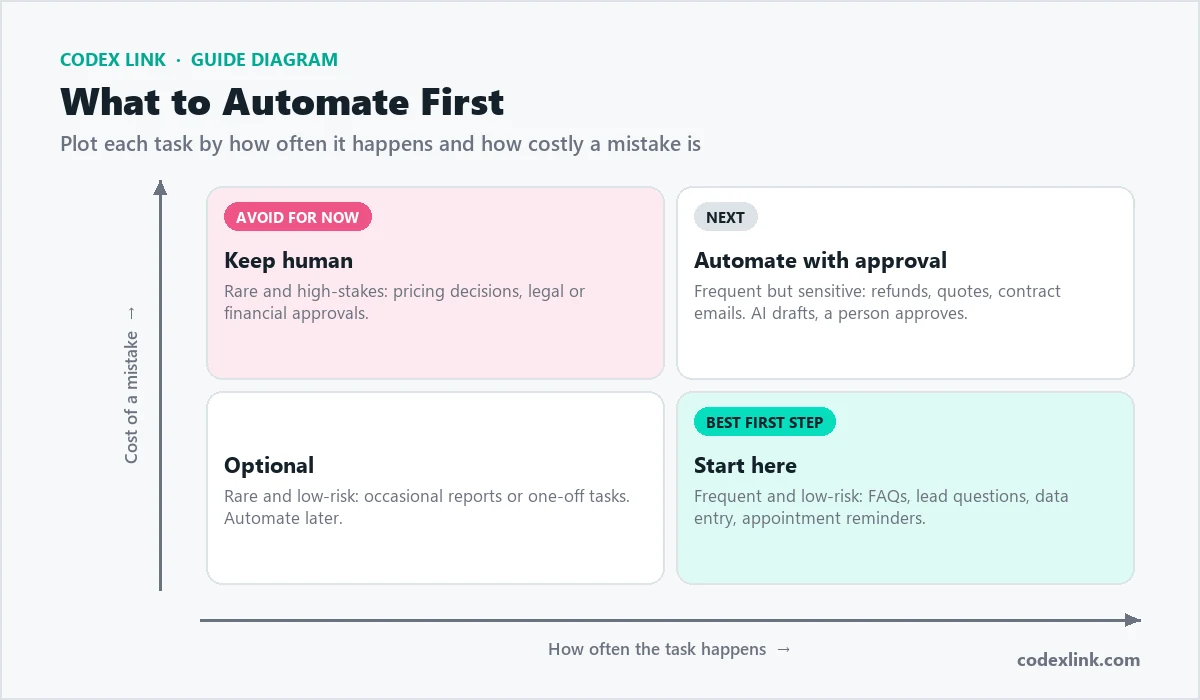
Score each repetitive task on three questions: how often does it happen, how long does it take, and how costly is a mistake? The best first project is frequent, time-consuming and low-risk, such as answering common questions or entering data from forms. Leave rare, high-stakes decisions for later, or keep a person approving them.
What a typical automation project looks like
- Discovery: map the current process step by step and measure how long it takes.
- Design: decide which steps the AI handles, which stay with people, and where approvals are needed.
- Build and connect: integrate with your website, WhatsApp, email, CRM or accounting tools.
- Test with real examples: run past cases through the system and check every answer.
- Launch and monitor: review logs, collect feedback and improve the instructions over time.
Mistakes to avoid
- Letting an AI answer customers before it is trained on your real prices and policies.
- Automating a broken process. Fix the process first, then automate it.
- Giving an AI system more access to data or payments than the task needs.
- Not measuring results, so you cannot tell whether the automation is paying off.
Build your automation with CodeX Link
We design AI automation workflows and custom AI agents and chatbots that connect to the tools you already use. For complex, multi-step work, our agentic AI systems plan and complete tasks with human checkpoints and full audit logs.