
"How much will my website cost?" is the first question almost every client asks us, and the honest answer is: it depends on what the website needs to do. This guide breaks the cost into its real parts, so you can plan a budget and compare quotes fairly.
The parts that make up the price
1. Domain name
Your web address, such as yourcompany.com, is renewed every year. Popular extensions like .com are inexpensive; premium or very short names can cost much more.
2. Hosting
Hosting keeps your website online. A company website typically runs on shared hosting, while a busy store or web app may need a VPS. Read our guide on choosing the best web hosting for what to look for.
3. Design
A ready-made theme is the cheapest route. A custom design, built around your brand and your customers, costs more but usually converts more visitors into enquiries.
4. Development and features
This is where prices differ the most. Every extra feature adds work: online payments, booking systems, customer accounts, multiple languages or integrations with your CRM and accounting tools.
5. Content
Professional copywriting, product descriptions and photography are often forgotten in the budget, yet they decide whether visitors trust you. Good content also helps your pages rank on Google.
6. Maintenance
Websites need updates, security patches, backups and occasional fixes. Budget for ongoing care rather than treating launch day as the finish line.
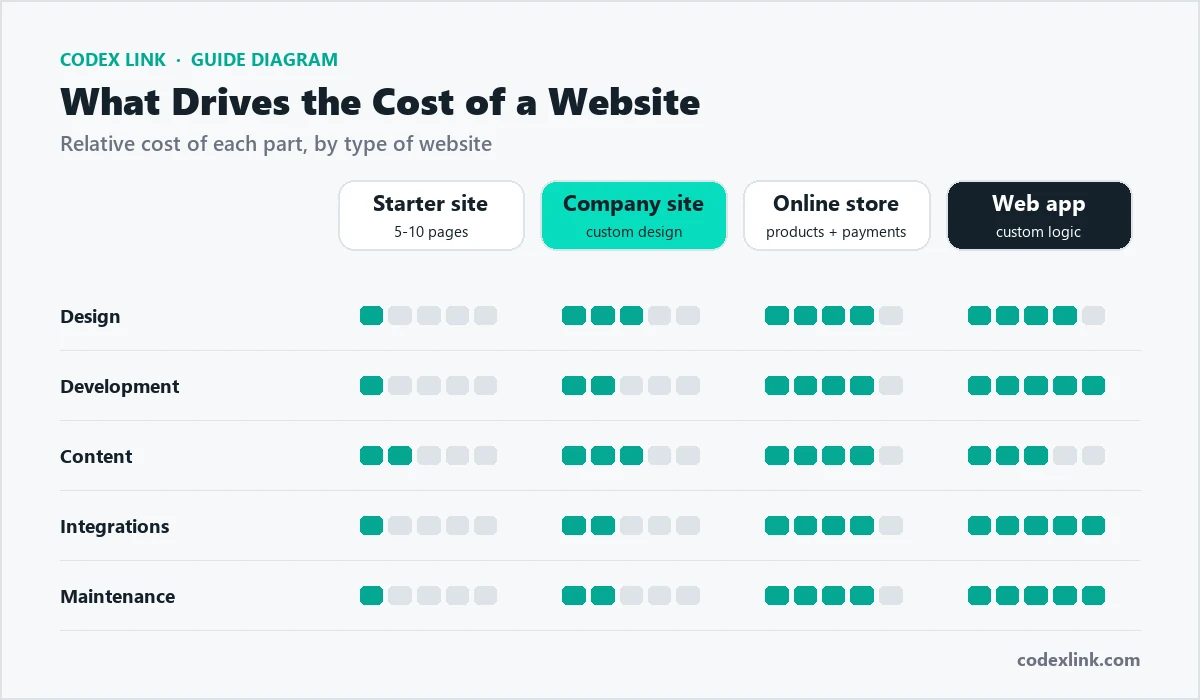
Typical website types
| Website type | Usually includes | Relative cost |
|---|---|---|
| Starter business site | 5 to 10 pages, contact form, mobile design | Low |
| Professional company site | Custom design, blog, SEO setup, integrations | Medium |
| Online store | Products, cart, payments, shipping, stock | Medium to high |
| Custom web application | User accounts, dashboards, business logic | High |

How to get more value from your budget
- Start with what earns money. Launch the pages and features that bring enquiries or sales first, then add extras.
- Choose a platform you can grow on. WordPress suits content-led sites; a custom build suits unique workflows.
- Build SEO in from day one. Fixing structure and speed after launch costs more than doing it right the first time.
- Ask what is included. Compare quotes on hosting, SSL, revisions, training and support, not only the headline price.
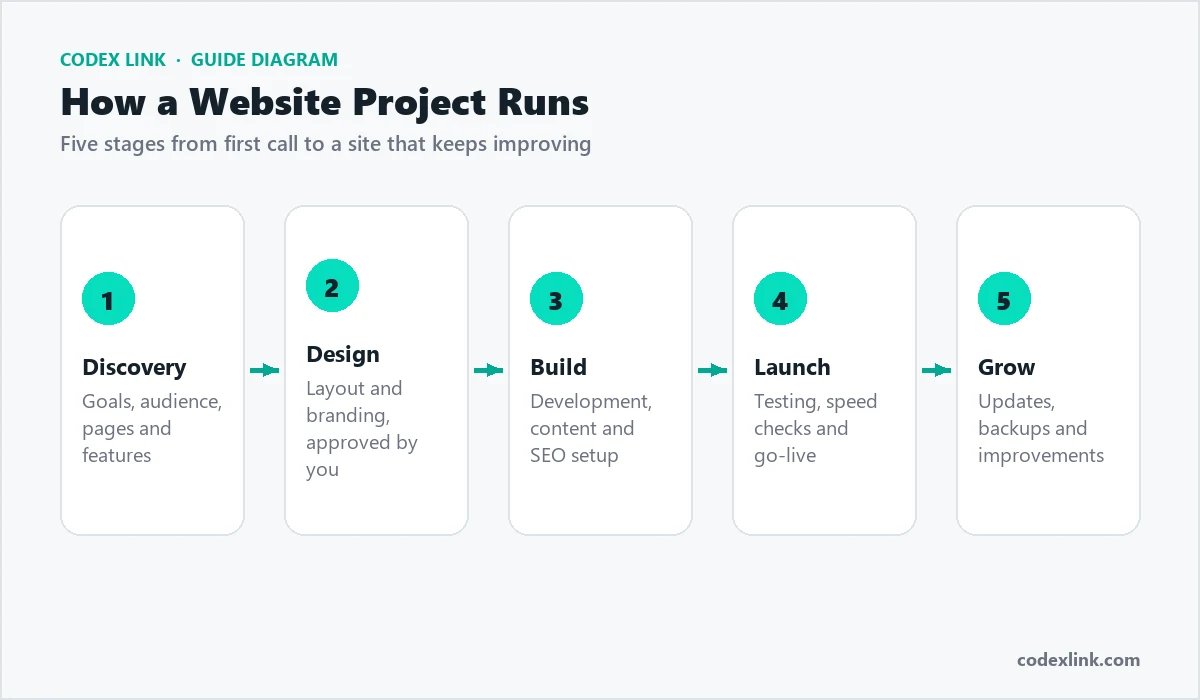
How to compare website quotes fairly
Two quotes for "a website" can describe very different projects. Before comparing prices, put each quote side by side and check:
- Number of pages and templates included in the design.
- Who writes the content and who supplies the photos.
- Revision rounds allowed at the design and development stages.
- SEO setup: titles, descriptions, sitemap, speed optimisation and analytics.
- Ownership: you should own the domain, the content and the website files.
- Support after launch: how long bugs are fixed free of charge, and what maintenance costs.
Hidden costs to plan for
Paid plugins or themes, premium fonts, stock photos, payment gateway fees and third-party subscriptions such as email marketing, live chat or booking tools all add to the running cost. Ask for a list of every paid service the website will rely on, so there are no surprises after launch.
Signs you are getting good value
- The agency asks about your goals and customers before talking about design.
- You can see examples of similar work and speak to previous clients.
- The quote is itemised and explains what each part includes.
- The site is built to load fast on mobile and to be found on Google.
Get a fixed quote from CodeX Link
We build business websites, WordPress sites and online stores for clients worldwide. Tell us what your website needs to do and we will send a clear, itemised quote, with no hidden extras.