
Building a travel booking website used to mean a long, expensive software project. It does not any more. With a ready platform, the heavy engineering is already done, and your job is to brand it, fill it with listings and open for business. This guide walks through the whole process in order, so you can launch a professional booking site without getting lost along the way.
Step 1: Decide what you will sell and to whom
Clarity first, technology second. Will you offer hotels, tours, car rental, flights, events, or a mix? Are you serving one city, one country, or international travellers? Will you list only your own inventory, or run a marketplace where other providers list too? These answers shape every later decision, from the modules you switch on to the currencies and languages you support.
Step 2: Choose a ready platform instead of building from scratch
Coding a booking website from nothing means building search, availability, a payment system, a customer area and an admin dashboard, then testing it all for months. For almost everyone, a ready platform is the smarter route: it is proven, feature-complete and far cheaper, and you still receive the source code to customise.
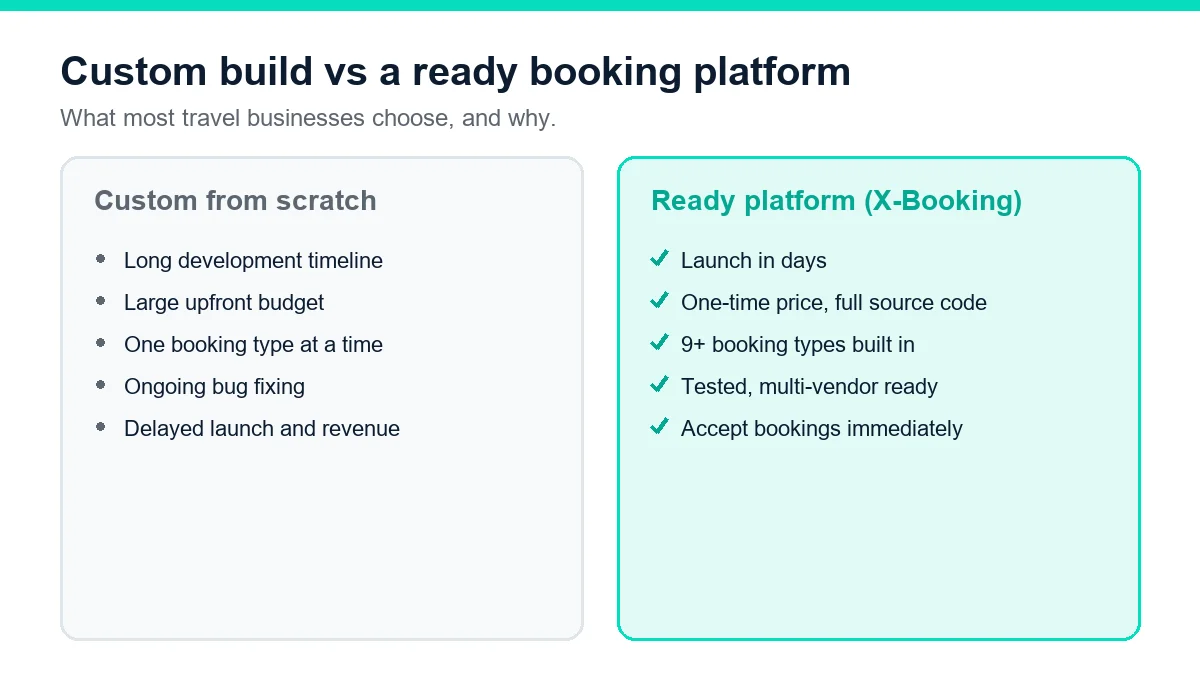
Our X-Booking platform is built for exactly this: a complete, Laravel-based booking system covering hotels, tours, cars, flights, events and more, ready to brand and deploy.
Step 3: Get a domain and hosting
Your booking site needs a reliable home:
- A domain name that is short and on-brand, registered in your own name so you always control it.
- Web hosting that can handle your traffic. A booking site is more demanding than a brochure site, so quality hosting, or a VPS as you grow, keeps pages fast and checkouts reliable.
If servers are not your strength, our team handles the setup and security as part of installation.
Step 4: Install and brand the platform
With hosting ready, the platform is installed and made yours. This is where generic software becomes your travel brand.
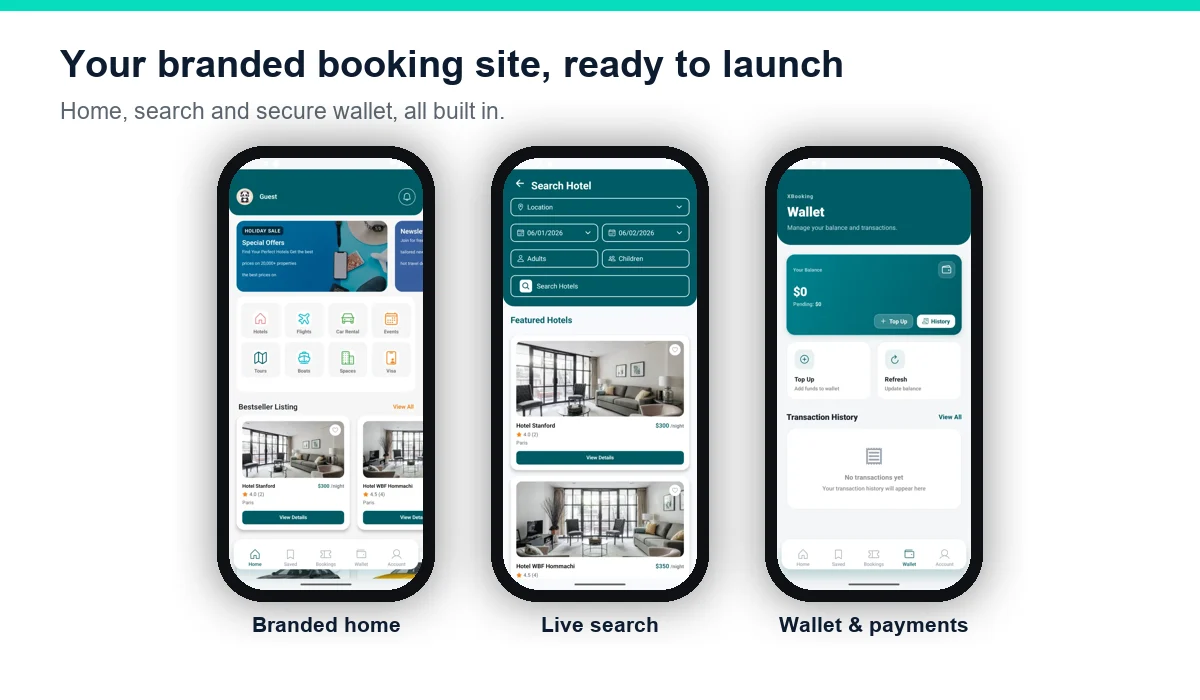
- Add your logo, colours and name across the site and emails.
- Switch on the booking modules you chose in step one and hide the rest.
- Set your languages and currencies for your target market.
- Configure taxes, fees and cancellation rules so every price is correct.
Step 5: Add your listings
Now fill the site with what you sell. For each listing, add clear photos, an honest description, accurate prices, and the availability calendar. Quality here directly affects bookings: good photos and complete details build the trust a traveller needs before paying a stranger online. If you are running a marketplace, this is also where you invite vendors to add their own listings.
Step 6: Connect payments, currencies and taxes
To accept bookings you must accept money. Connect your payment gateways, such as Stripe and PayPal, plus any local options your customers prefer. Set the currencies you will display and the automatic conversion, and configure taxes and service fees so totals are always accurate. Test a real payment end to end before going live.
Step 7: Set up a multi-vendor marketplace (optional)
If your plan is to list other providers, switch on multi-vendor mode. This is one of the most powerful ways to grow, because other businesses bring their own inventory and customers while you earn a commission on every booking.
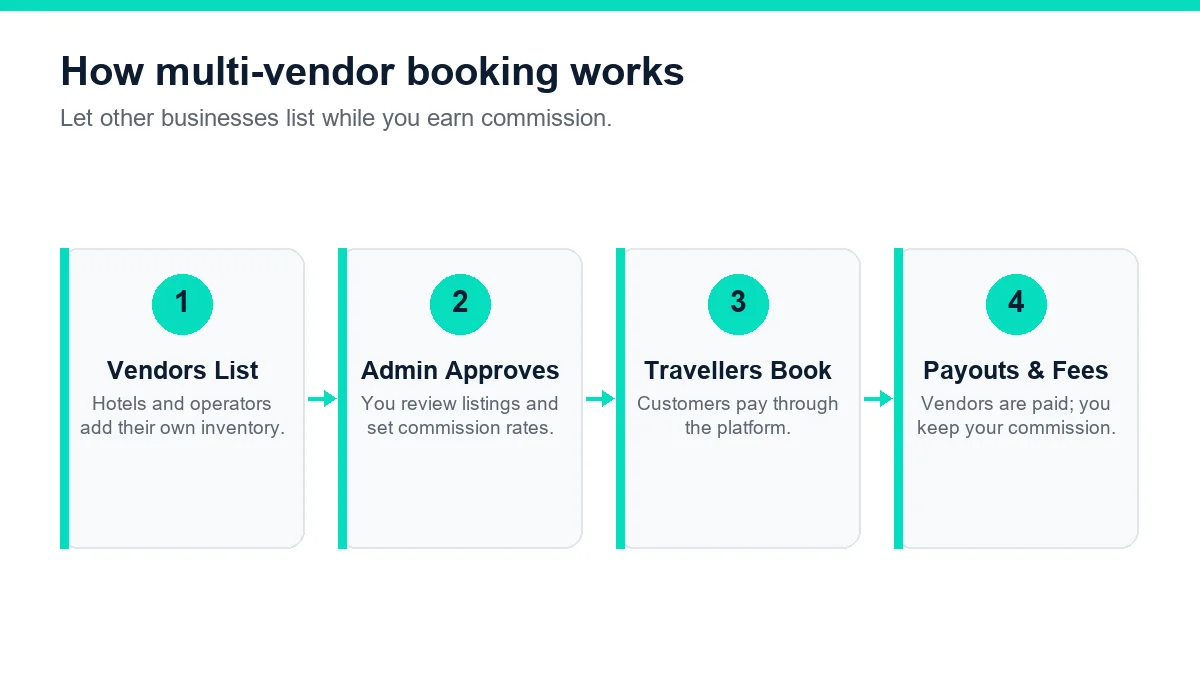
Each vendor gets their own dashboard to manage listings and bookings, you approve new listings and set commission rates, and the platform handles payouts and your fee automatically.
Step 8: Test the whole booking flow
Before you announce the site, go through it as a customer: search, choose a listing, pay with a test card, receive the confirmation email, then try a change and a cancellation. Check it on a phone as well as a computer, since most travel bookings now happen on mobile. Fixing issues now protects your first real customers from a broken experience.
Step 9: Launch and market your site
With the site working, bring in customers. Combine channels: search engine optimisation so people find you on Google, Google Ads for immediate bookings, social media, and direct outreach to past guests and partners. Encourage reviews from every happy customer, because social proof is what convinces the next traveller to book. A direct booking you win is one with no marketplace commission attached.
Step 10: Measure and grow
Once bookings arrive, use the reports to steer the business. Watch which listings sell, where customers abandon checkout, and which markets respond best. Then expand: add booking types, open new languages and currencies, and recruit more vendors. The platform scales with you, so growth is a matter of switching on more of what is already there.
A realistic launch timeline
With a ready platform, a travel business can get online in about a month. A timeline that works in practice looks like this:
- Week 1 — Plan. Decide your booking types and market, register your domain, and choose your package.
- Week 2 — Setup. Hosting is prepared, the platform is installed, and your branding, languages and currencies are configured.
- Week 3 — Fill it. Add listings with photos and prices, connect payment gateways, and set taxes and cancellation rules.
- Week 4 — Test and launch. Run test bookings on desktop and mobile, invite a few real users, then open with a launch offer.
As with any launch, preparation decides the pace. Having photos, descriptions and prices ready before setup keeps everything on track.
SEO for a travel booking website
A booking site only earns when people find it, and much of that traffic can come free from Google. A few fundamentals go a long way:
- Target what travellers search. Build pages around real phrases such as "hotels in [city]" or "car rental [airport]", matching the language people actually type.
- Write genuine descriptions. Unique, helpful listing text ranks better than copied blurbs and converts better too.
- Be fast and mobile-first. Page speed and a clean mobile experience are ranking factors and booking factors at once.
- Earn reviews. Fresh, authentic reviews build trust with both Google and customers.
Our SEO checklist for small business covers the technical basics in order, and pairs well with Google Ads for bookings from day one.
How to get your first bookings
A new site has no audience yet, so the first bookings come from deliberate effort. Reach out to past guests and partners directly, run a small, targeted Google Ads campaign for your core service, post your best listings on social media, and offer a launch discount to create early momentum. Ask every satisfied customer for a review, because the social proof they leave is what convinces the next traveller to book. Each direct booking you win this way carries no marketplace commission, so it is worth more to you than the same booking made elsewhere.
Common mistakes when building a booking website
- Weak listing content. Poor photos and thin descriptions kill trust. Invest in good images and honest detail.
- A clumsy mobile checkout. Test the booking flow on real phones; most customers are on them.
- Too few payment options. Offer the methods your market actually uses, including local gateways.
- Launching silently. A live site is not a marketed site. Plan how people will discover you.
- Choosing software you cannot grow with. Make sure you can add booking types, vendors and languages later.
What it costs
Your main costs are the platform licence, hosting, a domain and marketing. With X-Booking, the platform is a one-time purchase in three packages:
| Package | Price (one-time) | What it suits |
|---|---|---|
| Basic | $299 | A focused launch with an installation guide. |
| Professional | $599 | A full launch with installation and server setup done for you. |
| Enterprise | $1000 | A large multi-vendor marketplace with complete setup. |
Each plan includes six months of support. Add affordable hosting and a domain, and you have a complete booking business for a fraction of the cost of a custom build, with no commission leaking to a marketplace on every sale.
Keeping your booking site secure and reliable
A booking site handles payments and personal details, so reliability and security are part of the service, not an afterthought. A few habits keep it trustworthy. Use a secure connection across the whole site, which is standard with a free SSL certificate, so customers see the padlock and feel safe entering their details. Keep the platform and server updated, because out-of-date software is the most common way sites are compromised. Take regular backups, so a mistake or a problem is an inconvenience rather than a disaster. Choose hosting that can handle your busy periods, since a site that slows down or crashes during a seasonal rush loses exactly the bookings you worked hardest to win. Process payments through trusted gateways rather than storing card details yourself, and give staff only the access they need. None of this is complicated, and much of it our team sets up for you as part of installation, but together these basics protect your revenue and your reputation every single day the site is live.
Do you need a mobile-friendly site or an app?
The honest answer for most travel businesses is that a fast, mobile-friendly website matters more than a separate app at the start. The majority of travellers research and book on their phones through a browser, so a booking flow that is quick and simple on mobile captures most of the opportunity without the cost of app-store development and approval. X-Booking is built mobile-first, so your site works smoothly on any screen from day one. A dedicated app becomes worthwhile later, once you have repeat customers who book often enough to want your service on their home screen. Start with a site that converts on mobile, and let demand tell you when an app is justified.
After launch: growing your booking business
Opening the site is the beginning of the real work. The businesses that grow treat their booking platform as a living asset, not a one-off project:
- Add booking types. A hotel can add tours or airport transfers; an agency can add events or visas. Each new module opens a new revenue line from the same audience.
- Recruit vendors. Switching on multi-vendor mode lets other providers bring their inventory and customers while you earn commission.
- Open new markets. Adding a language and currency can unlock entire countries of travellers.
- Use the data. The reports show which listings and seasons perform, so you can promote what sells and fix what does not.
- Build loyalty. Because you own the customer relationship, you can email past guests with offers and win repeat bookings that cost nothing in commission.
Growth with a ready platform is largely a matter of switching on more of what is already built, which is exactly why owning the software pays off over time.
A quick pre-launch checklist
Before you announce your booking site to the world, run through a final check so the first impression counts. Confirm that every listing has clear photos, an accurate price and correct availability. Make a complete test booking on both a computer and a phone, pay with a test card, and confirm the email and invoice arrive. Try a cancellation and a refund so you know the process works. Check that your languages, currencies, taxes and cancellation rules are all set correctly. Make sure your contact details and support channel, such as WhatsApp, are easy to find. Ten minutes of checking now protects every booking that follows.
Ready to build yours?
A professional travel booking website is no longer out of reach for a small business. With a ready platform, the engineering is done, and you focus on your listings, your customers and your brand. Our team can install and brand X-Booking, connect your payments and help you launch, so you could be taking direct bookings within days. Read what travel booking software is for the background, then message us to start.