

US B2B sales teams, from two-person agencies to enterprise SaaS companies, use Sales Navigator to build target lists, follow buying signals and start conversations with decision-makers. It is the standard prospecting tool for SDRs, account executives, founders and consultants who sell to businesses. This guide compares the US plans and prices, explains each key feature, and gives you a practical playbook for building pipeline in the American market.
Sales Navigator price in the USA at a glance
| Plan | Official monthly billing | Annual billing | Best for |
|---|---|---|---|
| Sales Navigator Core | about $99.99 / month | Lower per month; shown at checkout | Individual sellers, founders, consultants |
| Sales Navigator Advanced | about $149.99 / month | Lower per month; shown at checkout | Teams that share lists and need TeamLink |
| Sales Navigator Advanced Plus | Custom pricing | Contract | Larger teams needing CRM sync |
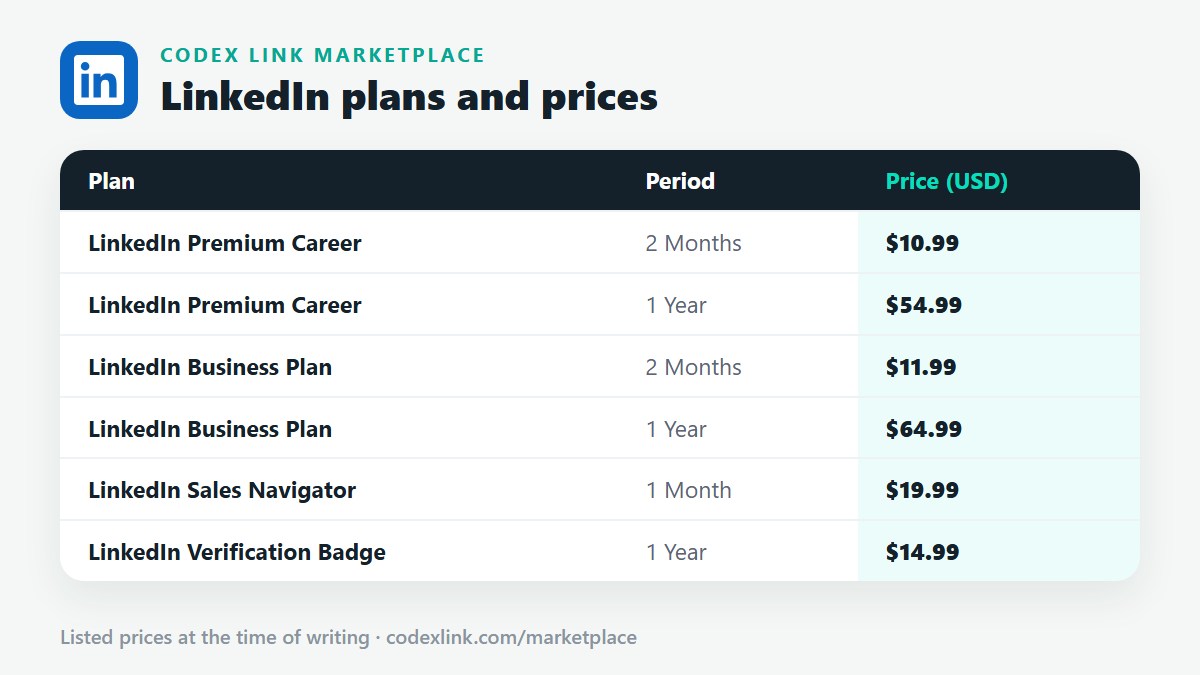
| Sales Navigator from CodeX Link | $19.99 / 1 month | - | Genuine, instant activation |
Official prices vary with billing period and promotions, and sales tax depends on your state. LinkedIn shows the final price at checkout.
What Sales Navigator gives you
Advanced lead filters
Filter people by job title, function, seniority, company headcount, industry, geography, years in role, years at company, and signals such as "changed jobs recently" or "posted on LinkedIn recently". These filters turn LinkedIn's member base into precise lists of buyers.
Account search and filters
Find companies by industry, headcount, headcount growth, location, revenue range where available and department growth. Build target account lists for account-based selling.
Saved searches and alerts
Save a search and get alerts when new people match it, for example when a new VP of Marketing joins a target company. New leaders often review vendors in their first months.
Lead and account lists
Organise prospects into lists by campaign, territory or stage and track activity in one place.
InMail
Sales Navigator includes a larger monthly InMail allowance than Premium plans, for reaching prospects outside your network.
Buyer intent and activity signals
See when leads view your profile, engage with your company or change roles, and prioritise those who show interest.
AI-assisted features
LinkedIn has added AI features to Sales Navigator, such as account summaries and help drafting messages. Availability varies; review every AI draft before sending.
Core vs Advanced vs Advanced Plus
| Feature | Core | Advanced | Advanced Plus |
|---|---|---|---|
| Advanced lead and account search | Yes | Yes | Yes |
| Lead and account lists, alerts | Yes | Yes | Yes |
| InMail | Yes | Yes | Yes |
| TeamLink (warm paths via colleagues) | No | Yes | Yes |
| Smart Links (tracked content sharing) | No | Yes | Yes |
| Team admin and sharing | No | Yes | Yes |
| CRM sync (e.g. Salesforce, HubSpot, Dynamics) | No | No | Yes |
Most individual sellers, founders and small agencies only need Core. Teams that want shared lists and warm introductions through colleagues choose Advanced. Advanced Plus suits sales organisations that want activity written back into their CRM. Exact features change over time, so check LinkedIn's current plan page.
Sales Navigator vs Business Premium
Business Premium gives unlimited browsing and some InMail, which is enough for light prospecting. Sales Navigator is built for daily selling, with dozens of lead filters, saved searches, alerts and lists. If you spend more than an hour a day prospecting, Sales Navigator pays for itself in time saved. If you prospect occasionally, read Business Premium price in the USA.
Who uses Sales Navigator in the USA?
- SaaS SDRs and AEs building account lists and multi-threading into buying committees.
- Agencies selling marketing, development, design or video to mid-market companies.
- Founders doing founder-led sales before hiring a sales team.
- Consultants and fractional executives finding companies at the right growth stage.
- Commercial service businesses such as IT managed services, staffing, logistics, commercial cleaning and facilities.
- Recruiting and staffing firms selling services to HR and talent leaders.
- Commercial real estate and financial professionals, within their firm's compliance rules.
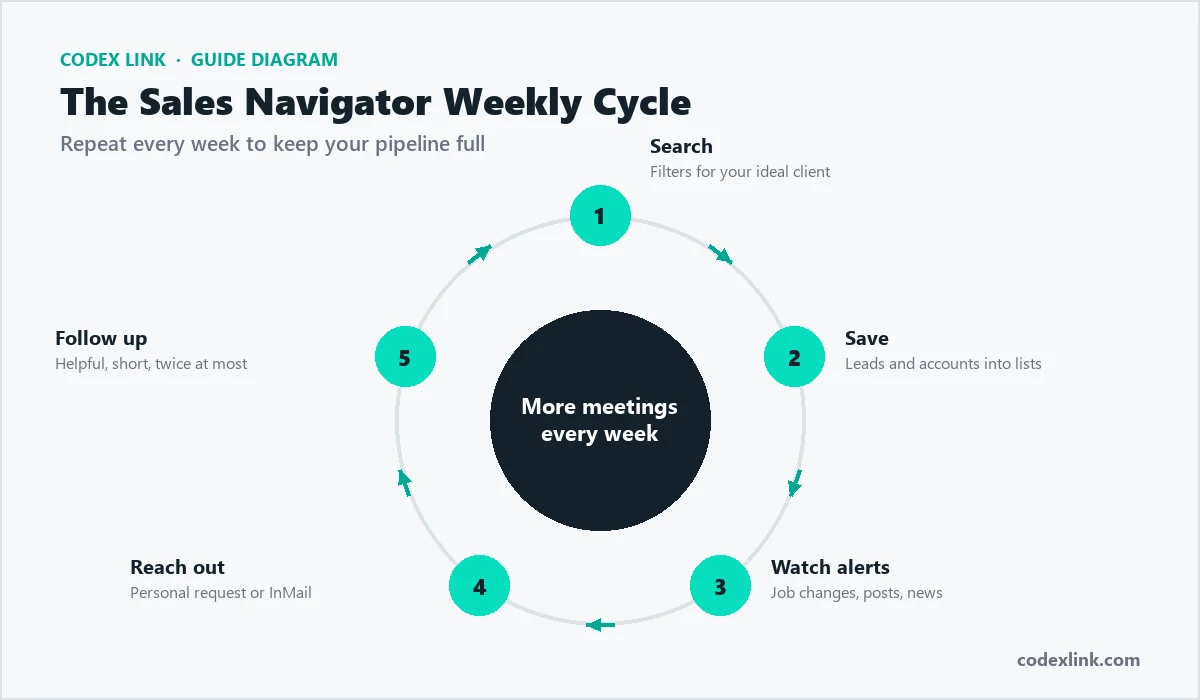
A US prospecting playbook with Sales Navigator
1. Define your ideal customer profile
Write down industry, company size, region, technology or situation, and the job titles of the buyer and influencers. For example: "US logistics companies with 50 to 500 employees, buyer is VP of Operations, champion is Operations Manager".
2. Build an account list
Use account filters to find 100 to 300 companies that fit. Add headcount growth to prioritise companies that are expanding.
3. Map the buying committee
For each account, save two to four leads: the decision-maker, a champion and a technical or financial influencer.
4. Set alerts
Save searches for new leaders in your target roles, and watch alerts on saved leads for job changes and posts.
5. Engage before you pitch
Comment thoughtfully on prospects' posts and view their profiles. Many will view yours back.
6. Personalised outreach
Send a connection request or InMail that references a trigger: a new role, funding, hiring, an expansion or a recent post. Offer a useful insight, not a demo.
7. Multi-channel follow-up
Follow up on LinkedIn, then by email or phone where appropriate. Keep each touch short and useful.
A Sales Navigator saved search for a US cybersecurity firm:
Geography:        United States
Industry:         Hospitals and Health Care
Company headcount: 201-1,000
Function:         Information Technology
Seniority:        Director, VP, CXO
Changed jobs:     In the past 90 days
Result:           A weekly list of new IT leaders at mid-size
healthcare providers, ideal for security reviewsA trigger-based InMail:
Hi Daniel, congrats on joining Lakeside Health as Director of IT.
New IT leaders often review security gaps in their first 90 days.
We recently helped a 400-bed hospital in Ohio cut phishing click
rates by 60% in one quarter. Would a one-page summary of what
worked be useful as you plan your priorities?
Metrics to track
- Connection acceptance rate: a sign of how relevant your targeting and profile are.
- Reply rate: a sign of message quality and timing.
- Positive reply rate and meetings booked: the numbers that matter for pipeline.
- Social Selling Index: LinkedIn's score for your brand, network, engagement and relationship building.
Compliance and best practices
- LinkedIn prohibits scraping and most automation. Tools that send automated messages or connection requests risk account restrictions.
- Follow CAN-SPAM when you move prospects to email, and honour opt-outs.
- If you sell into California or other states with privacy laws, handle exported personal data carefully and follow your company's privacy policy.
- Regulated industries, such as financial services, should follow firm policies on social selling and recordkeeping.
How to buy Sales Navigator through CodeX Link
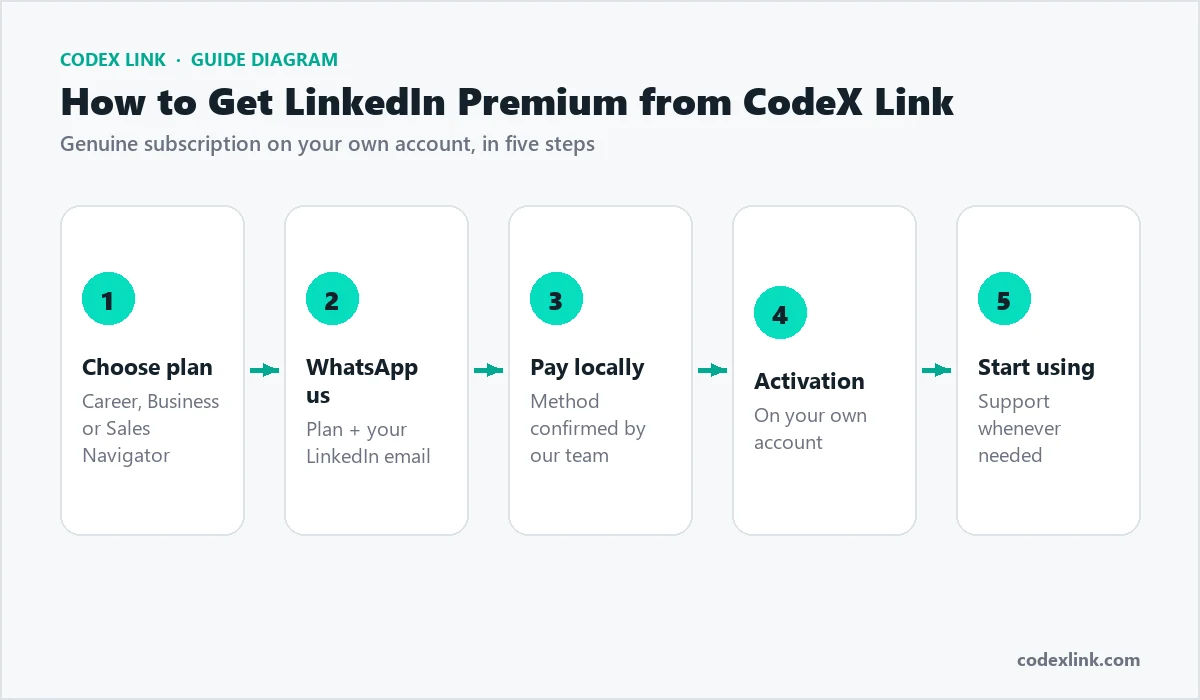
- Open the Sales Navigator page or the marketplace.
- Choose the one-month plan for $19.99.
- Complete payment and share the LinkedIn profile to activate.
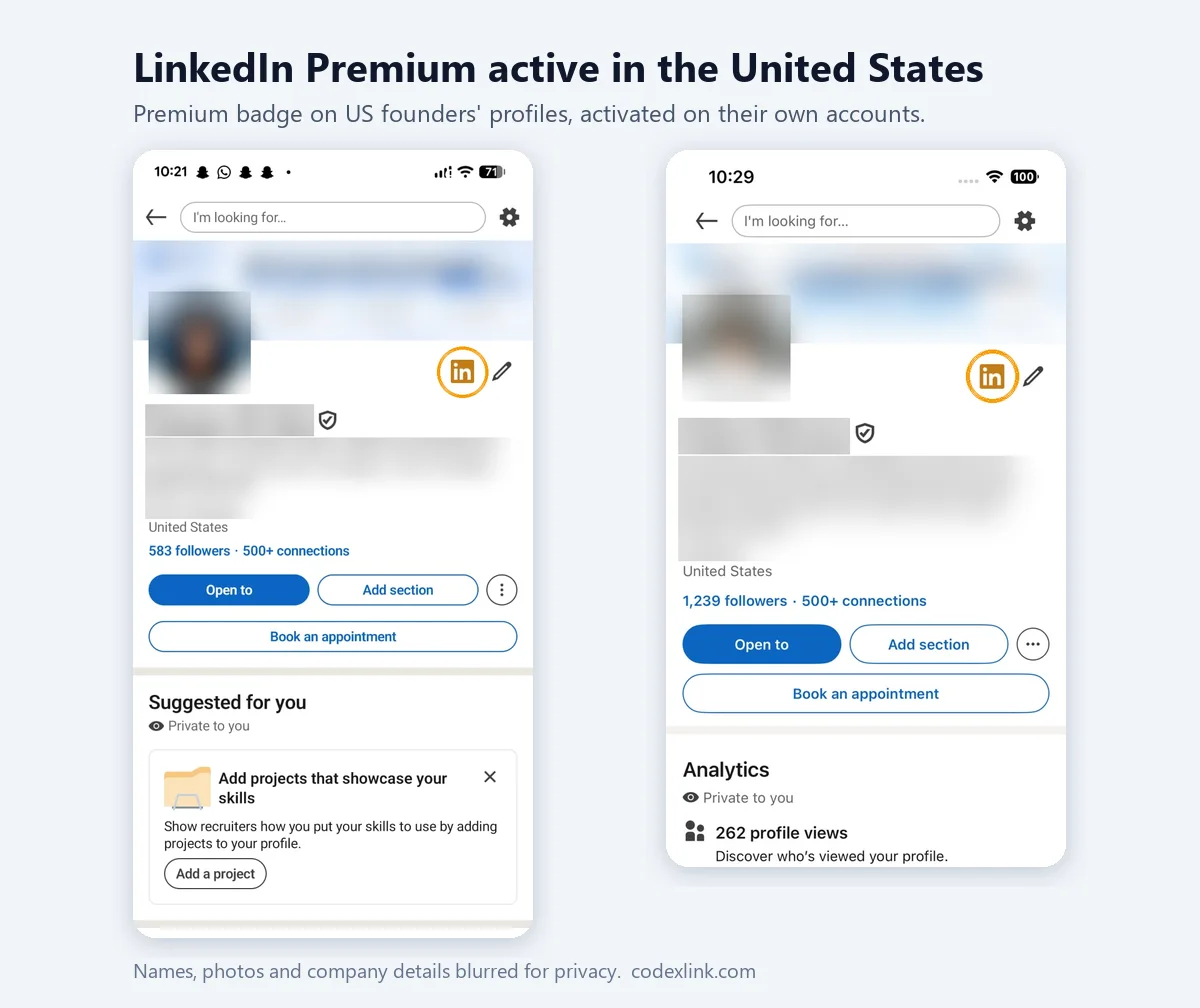
- Sales Navigator is activated on your own account, usually within minutes.
- Open sales.linkedin.com and set up your preferences, lists and saved searches.
Your first week with Sales Navigator
- Day 1: set sales preferences: geographies, industries, functions and company sizes.
- Day 2: build your first account list of 100 companies.
- Day 3: save two to four leads per account and create lead lists by persona.
- Day 4: save searches with alerts for job changes and new hires.
- Day 5: start engaging and send your first ten personalised messages.
Common mistakes
- Searching too broadly and messaging everyone.
- Pitching a demo in the first message.
- Ignoring alerts, which are often the best triggers.
- Not updating your own profile, so prospects bounce when they check you.
- Buying Advanced when you work alone and need only Core features.
Is Sales Navigator worth it in the USA?
For anyone who sells to businesses, Sales Navigator is usually worth it. At about $99.99 a month officially, one extra deal a quarter typically covers the cost. At $19.99 a month through CodeX Link, it is an easy decision for founders, consultants and small teams. The key is consistent use: build lists, follow signals and send personalised messages every week.
Sales Navigator for founder-led sales
Many US startups sell through the founder before hiring sales staff. Sales Navigator is ideal for this stage. Founders can build a list of 100 ideal accounts, save the economic buyer and a champion at each, and work through them steadily. Messages from founders often get better replies because they are personal and show deep product knowledge. Keep a simple spreadsheet or CRM to track conversations, and review which segments respond best before scaling.
Sales Navigator for agencies
US agencies selling marketing, web development, design or video can use Sales Navigator signals to time outreach: a new CMO, a rebrand announcement, a funding round, rapid hiring in marketing or a website relaunch. Combine these triggers with a relevant case study from the same industry. Agencies that specialise in a vertical, such as dental practices, SaaS or construction, usually get far better results than generalists.
Account-based selling with Sales Navigator
For larger deals, focus on a short list of high-value accounts. Save every relevant stakeholder, follow company news, and engage multiple people with tailored messages for their role. A CFO cares about cost and risk; an operations leader cares about efficiency; an end user cares about ease of use. Sales Navigator's account pages, alerts and lead lists keep this information in one place.
A buying committee map for a mid-market SaaS deal:
Account:      Brightline Manufacturing (450 employees, Ohio)
Economic buyer:  CFO - cares about cost per unit and payback
Champion:        Plant Operations Manager - daily pain point
Technical:       IT Director - security and integration
User:            Shift supervisors - ease of use on the floor
Trigger:         New plant opening announced last month
Sales Navigator and your CRM
Core and Advanced do not sync automatically with your CRM, but you can still keep records by adding notes and moving qualified leads into your CRM manually. Advanced Plus offers CRM sync with systems such as Salesforce, HubSpot and Microsoft Dynamics for larger teams. Whatever your setup, record every meaningful conversation so follow-ups are timely and your team does not contact the same person twice.
One month or longer?
A one-month subscription is ideal for a focused sprint: build your lists, launch a campaign and measure results. If it works, renew month by month. Many small teams run Sales Navigator continuously because saved searches and alerts keep producing new, timely prospects.
Sales Navigator vs data tools
Some US teams also use contact data tools for emails and phone numbers. Sales Navigator is different: its data comes from members' own LinkedIn profiles, so job titles and companies are usually current, and you can see recent activity. Many teams use Sales Navigator to identify and understand prospects, then reach them on LinkedIn first. Wherever you get data, follow privacy laws and LinkedIn's rules, and never scrape LinkedIn.
Sales Navigator by US region
Geography filters let you target metro areas such as New York, the San Francisco Bay Area, Los Angeles, Chicago, Dallas-Fort Worth, Houston, Atlanta, Boston, Seattle and Miami, or entire states. Regional campaigns allow local references, such as nearby clients or events, and help you schedule messages in the right time zone. Smaller markets often have less competition for attention, so do not overlook cities beyond the biggest hubs.
How CodeX Link can help
Get genuine LinkedIn Sales Navigator for $19.99 a month from the CodeX Link marketplace. Email support@codexlink.com or WhatsApp +92 343 5673902. Also see the LinkedIn lead generation guide and how to get clients on LinkedIn.