Businesses that sell to other businesses share one problem: finding the right company, then the right person inside it, at a moment when they might listen.
LinkedIn holds that information in one place. These answers explain how to search it properly and how the paid tools turn a search into a repeatable process.
Growing a business with LinkedIn
How to grow my business using LinkedIn?
Use it for three things: a company page and personal profiles that explain what you sell, regular posts that show expertise, and direct outreach to chosen prospects. The outreach brings results fastest. The content makes people more willing to reply.
How to generate leads for my business?
Define your ideal customer, find matching companies and contacts on LinkedIn, and contact them personally. Ask existing customers for introductions. Share posts that answer the questions buyers ask before purchasing.
How to improve my sales prospecting process?
Work from a saved search instead of starting fresh each day, limit yourself to a manageable number of new leads each week, and record every contact. Prioritise prospects with a recent trigger, such as a job change or funding news.
How to find B2B buyers online?
Identify the job titles that purchase your product, then search for them by industry and region on LinkedIn. Trade directories and industry groups add more names. Buyers often list their responsibilities in their profile, which confirms whether they are the right contact.
Finding companies
How to find companies by employee size?
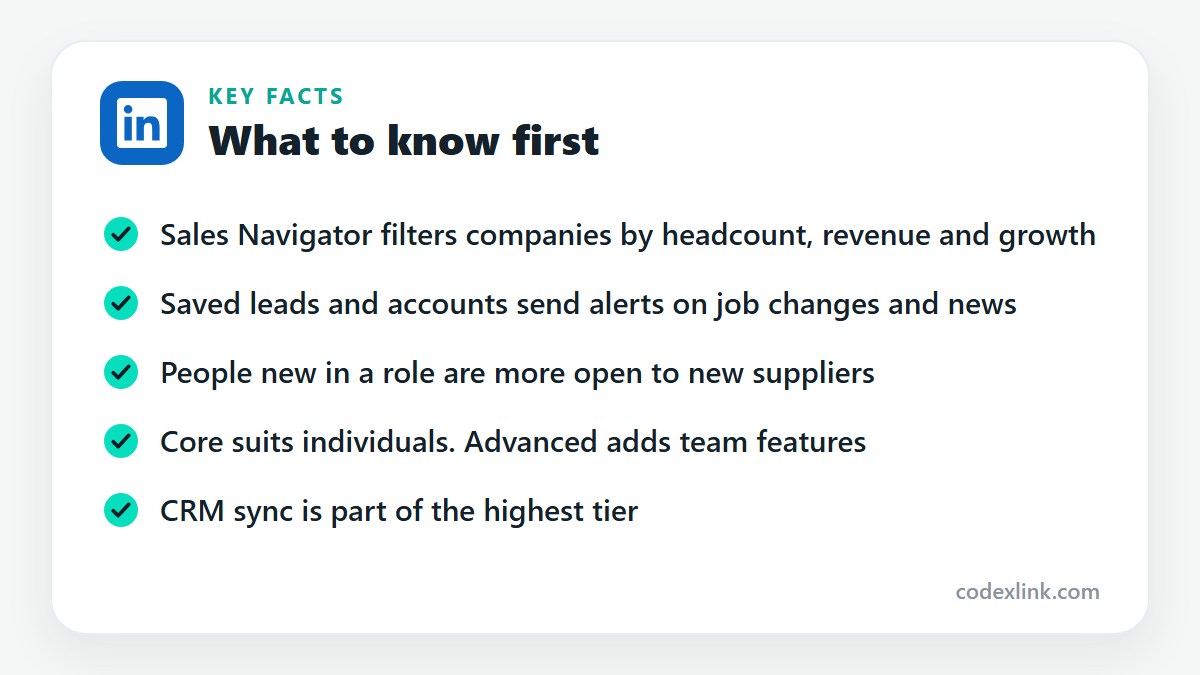
In a Companies search, use the Company size filter to choose ranges such as 11 to 50 or 201 to 500 employees. Sales Navigator offers the same filter along with headcount growth by department.
How to find companies by annual revenue?
Standard LinkedIn search has no revenue filter. Sales Navigator's account search includes an annual revenue range, which lets you target companies large enough to afford what you sell.
How to find similar companies to my customers?
On a company page, look at the pages people also viewed. In Sales Navigator, open a saved account and use the similar accounts option, which suggests companies with a comparable size, industry and profile.
How to find companies that are hiring?
Search the Jobs tab by role and location to see who is recruiting. Sales Navigator has an account filter for companies with open job opportunities, plus headcount growth, both of which point to businesses that are investing.
How to find businesses expanding into new markets?
Look for job posts in new locations, announcements of new offices, and leadership hires with regional titles. Sales Navigator account alerts surface company news and growth signals for the accounts you save.
How to find clients in a specific country?
Apply the location filter to People or Companies and combine it with industry and title. Write your message with that market in mind, using local spelling, currency and working hours.
Finding the right person
How to identify decision-makers in a company?
Open the company's People tab and search by department and senior titles. For a small firm, go to the owner. For a larger one, find the department head and one manager who uses the product day to day.
How to connect with CEOs on LinkedIn?
Follow them first and comment thoughtfully on a post or two. Then send a connection request with a single clear reason. Keep it brief, since senior people decide in seconds whether a message deserves a reply.
How to find procurement managers on LinkedIn?
Search People for procurement manager, purchasing manager, buyer or sourcing, and filter by industry and location. In manufacturing and retail these roles control supplier selection.
How to find HR managers on LinkedIn?
Search for HR manager, people operations or talent, then filter by company size and region. If you sell training, software or benefits, the head of people is normally the decision-maker.
How to find marketing managers at companies?
Search titles such as marketing manager, head of marketing or CMO, and narrow by industry. Check their recent posts for campaigns or tools they mention, which gives you a relevant opening line.
How to find sales managers in the USA?
Search sales manager, head of sales or VP sales with the United States location filter, then add industry. Sales Navigator's seniority and function filters remove junior representatives from the list.
How to find potential business partners?
Look for companies that serve the same customers with a different product. Contact the founder or partnerships lead and propose something specific, such as a referral arrangement or a joint webinar.
How to find investors for my startup?
Search for angel investor, venture partner or principal, and filter by your sector and region. A warm introduction through a shared connection works far better than a cold message. Read their past investments first so your approach is relevant.
How to find wholesale buyers on LinkedIn?
Search for buyer, category manager or purchasing roles at retailers and distributors in your product category. Trade groups on LinkedIn are another source. Lead with what makes your product sell, such as margin or demand.
How to find importers and exporters?
Search People and Companies for import, export, trading or distribution with your product type and target country. Check company pages for the markets they serve. Many trading firms list their product lines in the About section.
Lists, research and tracking
How to build a B2B prospecting list?
Start with an account list of target companies, then add two or three contacts at each. In Sales Navigator, save accounts and leads into lists. Keep the list small enough that you can contact everyone on it within a month.
How to research a potential customer before contacting them?
Read their profile, recent posts and company news. Note a recent change, such as a promotion, a product launch or hiring. Check for shared connections. Five minutes of reading usually gives you an opening line that is specific to them.
How to monitor target companies on LinkedIn?
Follow their company pages to see posts in your feed. In Sales Navigator, save them as accounts to receive alerts about news, growth, new decision-makers and when their people engage with your company.
How to track changes in a prospect's job position?
Save the person as a lead in Sales Navigator and you are alerted when they change role or company. A move is a strong reason to make contact, since people in a new post often review suppliers.
How to organize leads on LinkedIn?
Use Sales Navigator lead lists named by campaign, industry or stage, and add notes to each lead. On a free account, a spreadsheet with status columns does the same job with more manual effort.
How to save leads in Sales Navigator?
From search results or a profile, select Save and choose a lead list or create a new one. Saved leads appear in your lists and feed alerts into your Sales Navigator home page.
Choosing a plan
Which LinkedIn plan is best for business owners?
Owners who network and research occasionally should choose Premium Business. Owners who prospect for customers every week should choose Sales Navigator. Those hiring staff directly may want Recruiter Lite for a period.
LinkedIn Premium Business vs. Sales Navigator
Premium Business removes the browsing limit and gives 15 InMails within ordinary LinkedIn. Sales Navigator is a separate workspace with advanced filters, saved lists, alerts and 50 InMails. Business suits networking. Sales Navigator suits structured selling.
Sales Navigator Core vs. Advanced
Core gives an individual the search filters, lists, alerts and InMail. Advanced adds team features such as shared lists, seeing colleagues' connections to a target, and trackable content links. A further tier adds CRM synchronisation.
Is Sales Navigator worth the money?
It is worth it for anyone whose income depends on regular outbound prospecting, because it saves hours of searching and improves timing. For occasional outreach it is more than you need. See our Sales Navigator guide for a fuller answer.
LinkedIn plans and prices on CodeX Link
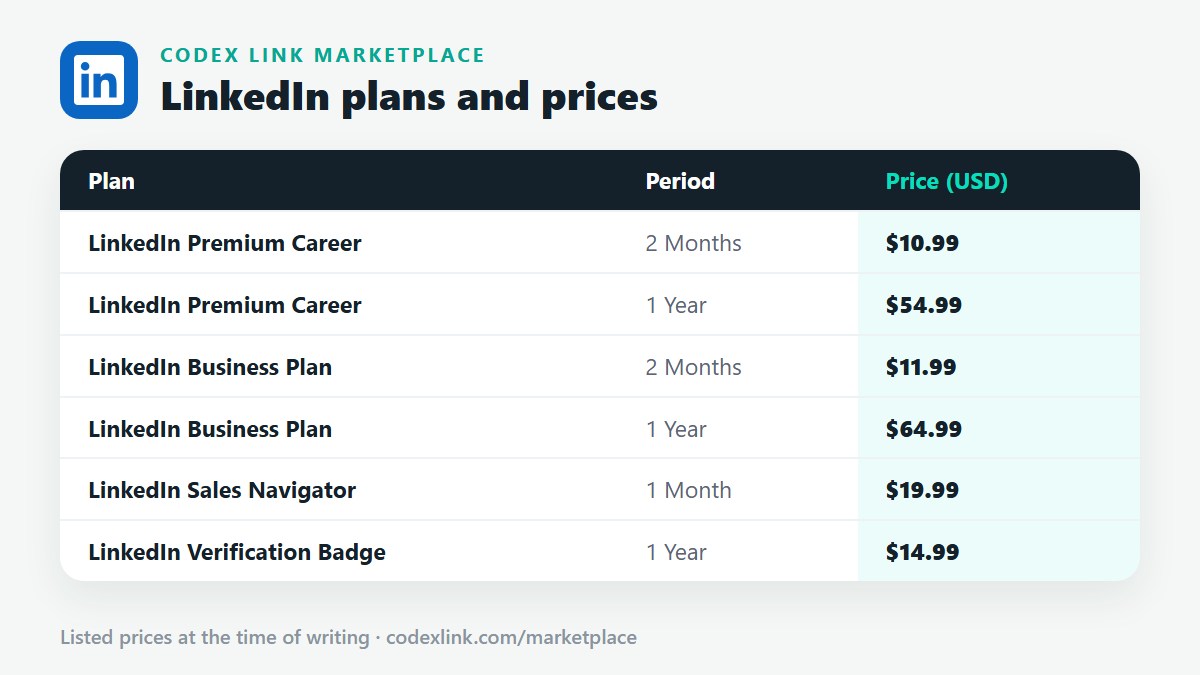
These are the LinkedIn plans listed on the CodeX Link marketplace at the time of writing. Message the team on WhatsApp to confirm the price and how activation works before you order.
| Plan | Period | CodeX Link price |
|---|---|---|
| LinkedIn Premium Career | 2 Months | $10.99 |
| LinkedIn Premium Career | 1 Year | $54.99 |
| LinkedIn Business Plan | 2 Months | $11.99 |
| LinkedIn Business Plan | 1 Year | $64.99 |
| LinkedIn Sales Navigator | 1 Month | $19.99 |
| LinkedIn Verification Badge | 1 Year | $14.99 |
Need a LinkedIn plan?
Chat with the CodeX Link team for the current price and activation details, or browse every tool in the marketplace.
LinkedIn is a trademark of its owner. Features, limits and prices change over time and differ by country, so confirm the current terms on LinkedIn before you buy.