
The Staff Management module helps you view and manage all employees in one place.
📍 Page Link #
http://127.0.0.1:8000/human-resource
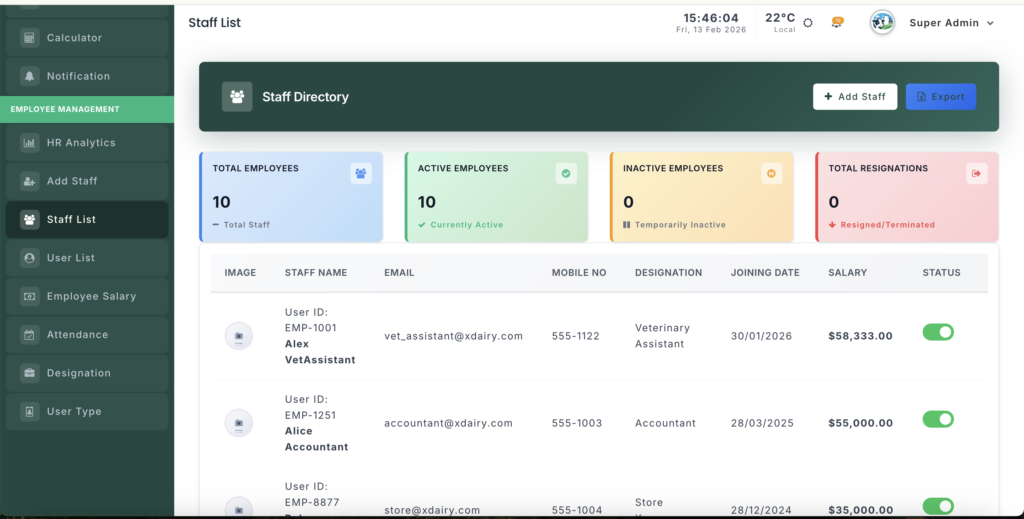
Key Steps #
1️⃣ View Staff Summary #
At the top, you can quickly see:
- Total Employees
- Active Staff
- Inactive Staff
- Total Resigned Staff
2️⃣ Check Staff List #
- See all employees in a table.
- View details like Photo, Name, Role, Phone, Joining Date, and Status.
- Use search or pagination to find staff easily.
3️⃣ Manage Staff #
From the action buttons you can:
- 👁️ View Profile
- ✏️ Edit Details
- 🗑️ Delete Staff (if allowed)


Leave a Reply
You must be logged in to post a comment.