
Table of Contents
Color Management #
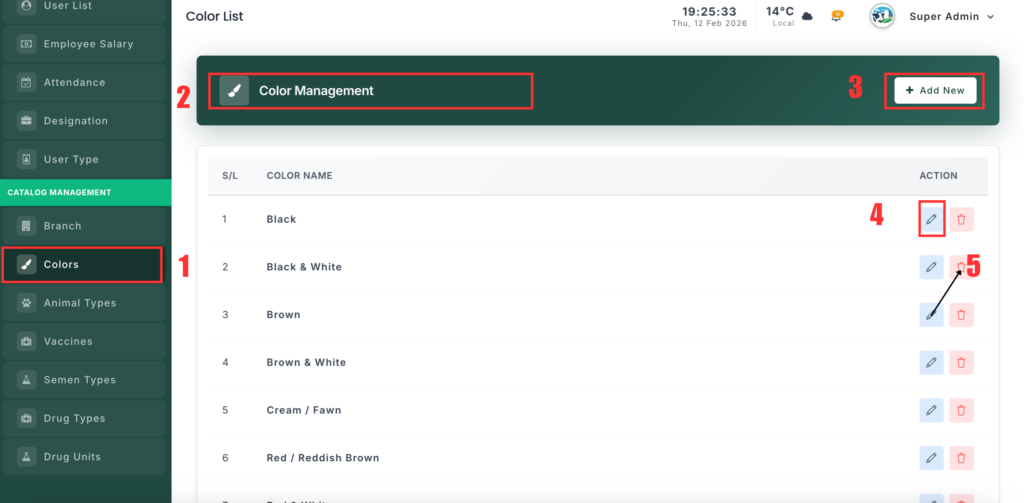
The Color Management section lets you add and manage colors used for animals or other records in the system.
📍 Page Link #
http://127.0.0.1:8000/colors
What You Can Do #
1️⃣ View Colors #
- Open the Colors page.
- You will see a list of all saved colors.
- Colors are displayed in alphabetical order.
2️⃣ Add a Color #
- Click the “Add New” button.
- Enter the color name.
- Click Save to add it.
3️⃣ Edit a Color #
- Click Edit next to the color.
- Change the color name.
- Click Update to save changes.
4️⃣ Delete a Color #
- Click Delete next to the color.
- Confirm the action.
- The color will be permanently removed.


