
Table of Contents
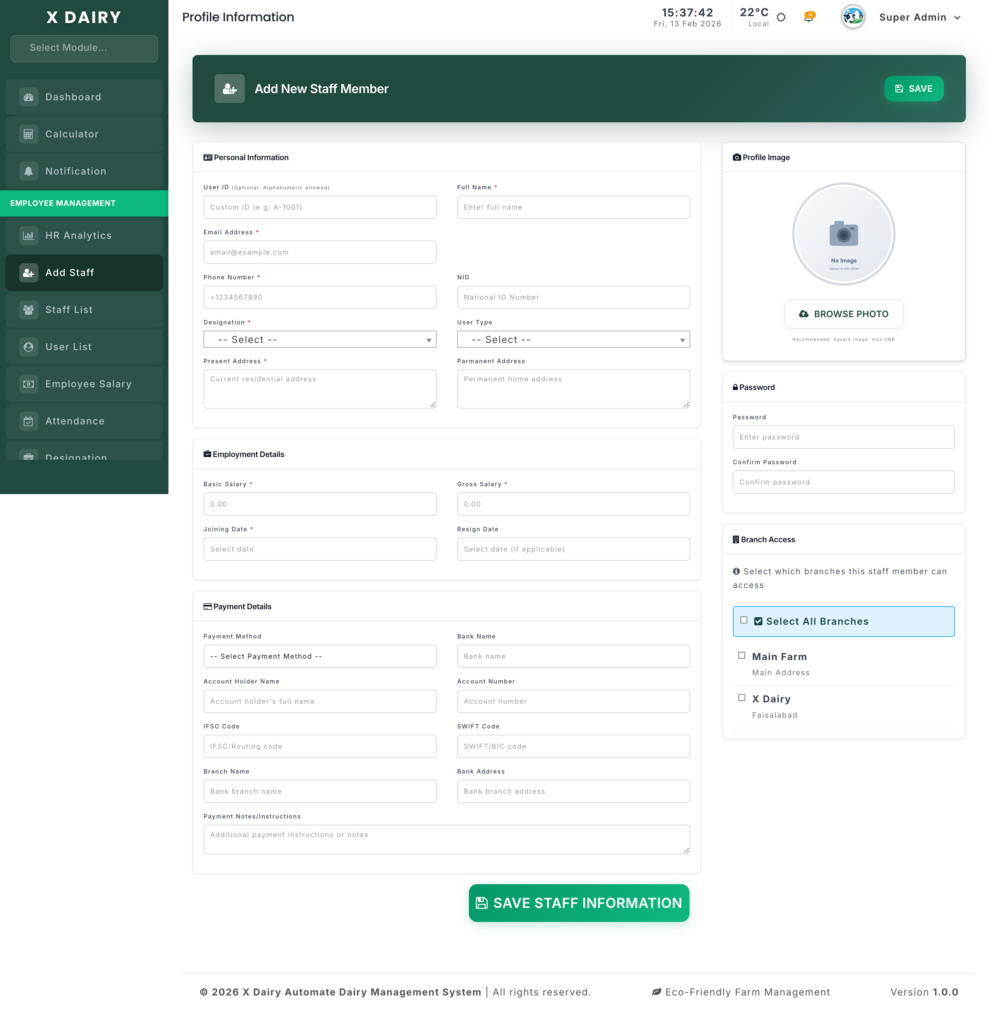
The Human Resource Registration module is used to add new staff and manage their job, salary, and access details.
📍 Page Link #
http://127.0.0.1:8000/human-resource/create
Key Steps #
1️⃣ Add Personal Details #
- Enter Name, Email, and Phone.
- Add Present & Permanent Address.
- Select Designation and User Type.
2️⃣ Enter Employment Details #
- Add Basic Salary and Gross Salary.
- Select Joining Date.
- (Optional) Add Resign Date if needed.
3️⃣ Set Payment Details #
- Choose Payment Method (Bank, Cash, etc.).
- Enter bank details if using bank transfer.
4️⃣ Setup System Access #
- Upload Profile Photo.
- Set a Password.
- Select accessible Branches.
5️⃣ Save Employee #
- Click Save to register the staff member.


Leave a Reply
You must be logged in to post a comment.