
Table of Contents
The Milk Sale Due Collection module helps you recover outstanding payments from previous milk sales. It allows you to track partial payments, monitor customer balances, and maintain accurate financial records.
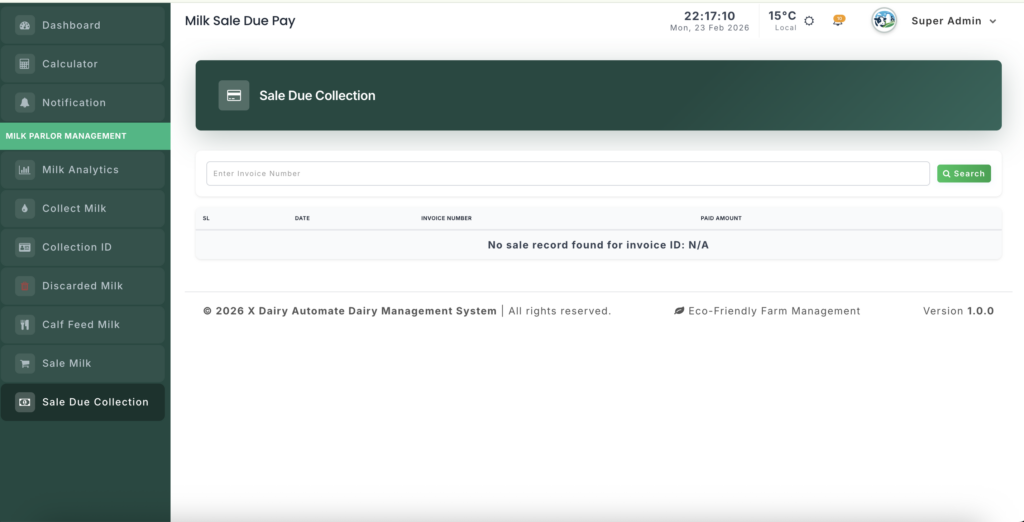
Module URL:http://127.0.0.1:8001/sale-milk-due-collection
✅ Management Steps #
Step 1: Search for the Milk Invoice #
To begin collecting dues:
- Enter the Invoice ID in the search field.
- Click “Get History”.
The system will load:
- Customer details
- Sold milk volume
- Original invoice amount
Step 2: Review Payment History #
Once the invoice loads, review the audit section:
Displayed Information #
- Total Amount: Original bill for the milk sale
- Payment Log: List of all previous payments with dates and amounts
- Remaining Due: Real-time outstanding balance
This provides a complete financial overview of the transaction.
Step 3: Record a New Payment #
When a customer makes a payment:
- Scroll to the “Add New Payment” section.
- Select the Payment Date.
- Enter the Pay Amount received.
- Click “Submit”.
Step 4: Automatic Balance Update #
After submitting:
- The system instantly updates:
- Total Paid Amount
- Remaining Due Balance
- Changes are reflected in:
- Milk Sales records
- Current payment history view
No manual adjustments are required.
Step 5: Correct or Delete Payment Records #
If an entry was recorded incorrectly:
- Click the Delete icon next to the payment record.
- The system will automatically restore the previous due balance.
This ensures accurate financial corrections.
📊 Management Insights #
Financial Accuracy #
The system automatically synchronizes:
- Milk Sale records
- Due Collection ledger
This prevents accounting mismatches.
Transparent Customer Records #
You can easily provide customers with:
- Payment history
- Remaining balance statements
- Clear invoice tracking
Effective Debt Recovery #
Regularly review older invoices to:
- Identify overdue payments
- Prioritize follow-ups
- Improve cash flow management


Leave a Reply
You must be logged in to post a comment.