
Table of Contents
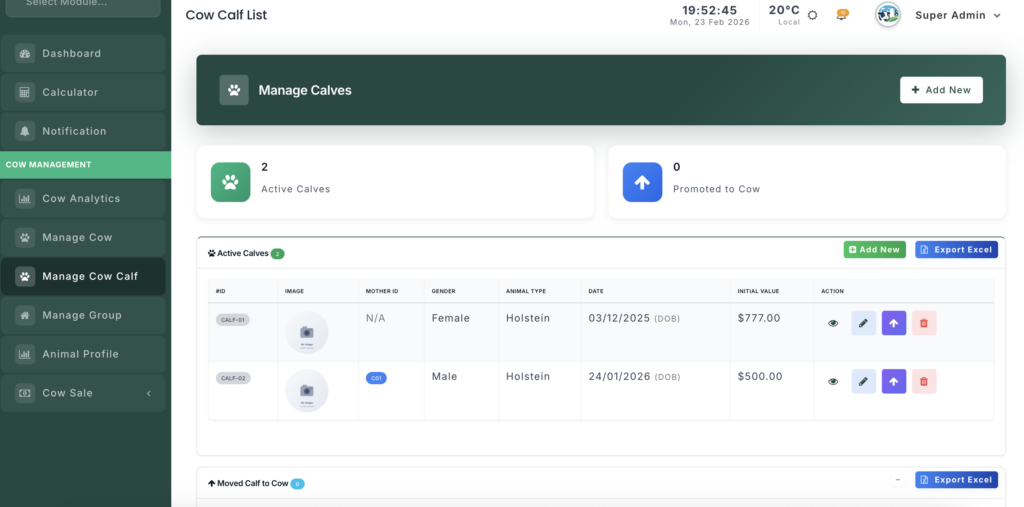
The Calf Management module allows you to track young animals from birth until they join the main herd as cows. It provides specialized tools for monitoring growth, feeding, and medical history.
Module URL: http://127.0.0.1:8001/calf
Key Features #
1. Categorized Lifecycle Tracking #
The dashboard organizes calves into lifecycle stages for easy management:
- Pending Data Entry — Calves automatically created from calving records; require additional details (e.g., breed, birth weight) before becoming active.
- Active Calves — Calves currently being raised on the farm.
- Promoted to Cow — Graduated calves now part of the milking herd.
- Sold Calves — Records of calves that have been sold.
2. Intelligent Registration #
When adding a new calf, the system adapts based on its origin:
- Source Tracking — Choose Farm Born (requires Mother ID) or Supplier Bought.
- Automated ID — System can automatically assign the next available tag, or allow manual entry.
- Valuation — Track Estimated Market Value for farm-born calves to monitor assets.
- Media Upload — Drag-and-drop image upload to maintain visual records.
3. Comprehensive Profile #
The calf profile serves as the “Command Center”:
- Health Score — Dynamic metric based on medical cases and vital stats.
- Growth Monitoring — Tracks weight and height compared to birth statistics.
- Feeding Logs — Monitor daily and total milk consumption.
- Vaccination Status — Overview of completed and upcoming vaccinations.
- Promotion Bar — Visual progress showing readiness for promotion to the main herd.
Operations #
1. Registering a Calf #
- Manual Entry — Click “Add New” to register purchased calves.
- Automatic Entry — Farm-born calves appear in Pending; edit to finalize breed, stall, and other details.
2. Stall Management #
- Assign calves to specific stalls.
- The system tracks Available vs. Booked stalls to prevent overcrowding.
3. Graduation (Promotion) #
When a calf reaches the target age or weight, click Promote to:
- Move the profile to the Animal List.
- Carry over the full health and growth history.
- Set starting asset value based on final valuation.
Management Actions #
- View Profile — Access full history and performance charts.
- Edit — Update growth metrics or status.
- Promote — Graduate the calf to the main herd.
- Delete — Remove accidental or incorrect entries.


Leave a Reply
You must be logged in to post a comment.