
Table of Contents
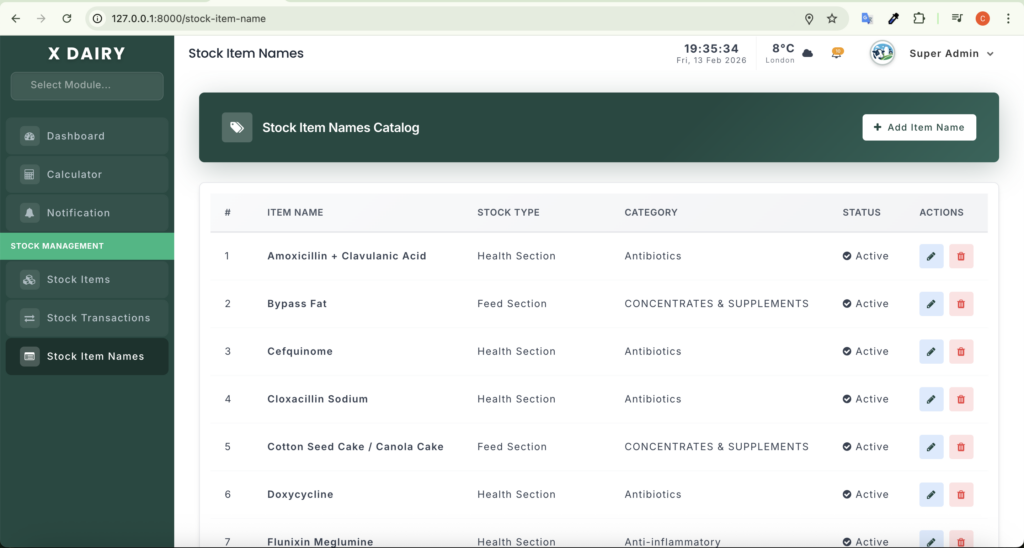
The module manages a standardized catalog of inventory items, ensuring consistency and preventing duplicates.
URL: http://127.0.0.1:8000/stock-item-name
Main Features #
- Standardization: Master list of approved item names.
- Categorization: Assign Stock Type (Feed, Medicine, Equipment) and Category.
- Status: Active/Inactive items.
- Dynamic Filtering: Category list updates based on selected Stock Type.
- Modal Forms: Add/Edit items without leaving the page.
Basic Operations #
- View Catalog: Table shows Name, Stock Type, Category, Status, Actions.
- Add Item:
- Click Add Item, enter Name, Stock Type, Category, Description, Status → Save.
- Edit Item:
- Click Edit, modify fields → Save.
- Delete Item:
- Click Delete (only allowed if item is not in active stock).
- Otherwise, mark as Inactive.


Leave a Reply
You must be logged in to post a comment.