Most strong candidates are not applying for jobs. They are employed, reasonably content and visible on LinkedIn, which makes it the main sourcing tool for recruiters and small employers alike.
The answers below cover how to search for them, how to approach people who aren't looking, and which subscription suits the volume of hiring you do.
Searching for candidates
How to find candidates on LinkedIn?
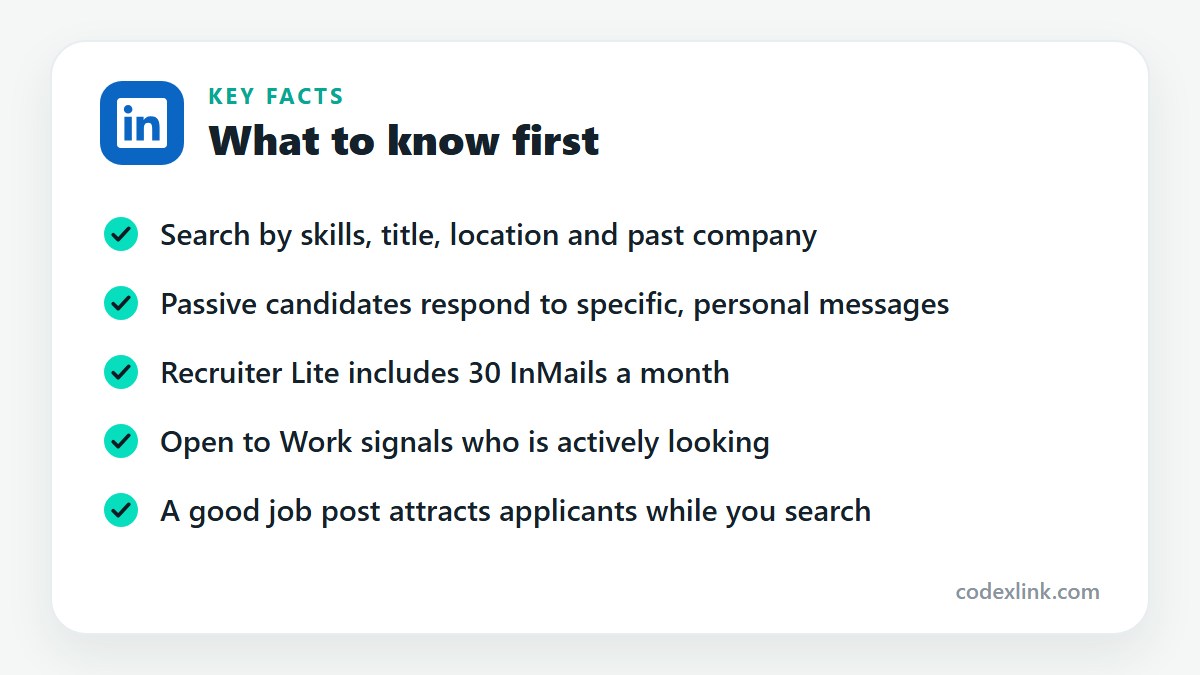
Search People using the job title, skills and location you need, then filter by industry and current company. Post the job as well, so active applicants come to you while you approach suitable people directly.
How to find qualified candidates for a job?
Write down the three or four requirements that matter most, then search for people who show them in their current role. Check tenure, career progression and recommendations. A shorter list of close matches is better than a long list of maybes.
How to search candidates by skills?
Add skill terms to your People search, combining them with a job title, for example data analyst SQL Tableau. Recruiter Lite and Sales Navigator support more precise keyword and Boolean searching with AND, OR and NOT.
How to find software engineers on LinkedIn?
Search titles such as software engineer, developer or backend engineer together with the languages you need. Filter by location or remote. Engineers get many generic messages, so mention the technology stack, the problem and the salary range.
How to find candidates with specific experience?
Use title and keyword search for the experience, and filter by years of experience or seniority where your plan allows it. Read the experience section for evidence of the actual work, not just the job title.
How to find candidates by current company?
Use the Current company filter in People search and add the companies whose staff have the experience you want. This is a quick way to find people trained in a particular environment or product.
How to find candidates by previous company?
Apply the Past company filter. It finds people who worked somewhere relevant earlier in their career, including those who have since moved to a role or location that makes them easier to hire.
How to find university graduates for recruitment?
Use the School filter in People search, or open a university's page and its Alumni tab, where you can filter by graduation year, field of study and location. Many universities also have careers pages for employers.
How to find employees for a startup?
Look for people at slightly larger companies in your sector who may want more responsibility, and for those who have worked at early-stage firms before. Be open about the stage, the role and the equity or salary on offer.
Remote and international hiring
How to find remote workers?
Search by skills without a location filter, or target regions with suitable time zones. Look for remote in profiles and headlines. State clearly in your message that the role is remote and which countries you can hire in.
How to find candidates in another country?
Set the location filter to the target country or city and search by title and skills. Check language ability and right to work. Mention relocation support or remote arrangements early in your message.
Reaching passive candidates
How to find passive candidates on LinkedIn?
Passive candidates are people in work who are not applying. Find them by searching for the role and skills, not for job seekers. Those who have been in a post for two to four years are often open to a conversation.
How to contact candidates who are not actively looking for jobs?
Send a short, personal message that explains why you chose them and what is interesting about the role. Ask whether they are open to a brief chat, not for a CV. Accept a no gracefully and stay connected.
How to reach candidates without a connection?
Use InMail, which is included with Recruiter Lite, Premium and Sales Navigator. You can also message people with Open Profiles for free, or send a connection request with a note that explains the opportunity.
How to build a candidate database?
In Recruiter Lite, save candidates into projects with notes and status. Without it, keep a spreadsheet or applicant tracking system with profile links, skills and last contact date. Review it before every new search.
Tools and plans
LinkedIn Recruiter Lite vs. LinkedIn Premium
Recruiter Lite is built for hiring. It includes 30 InMails a month, recruiting search filters, candidate projects and tracking. Premium Business is general purpose, with 15 InMails and unlimited browsing but no recruiting workflow.
Is LinkedIn Premium useful for recruiters?
It helps occasional recruiters by removing browsing limits and adding InMail. Anyone filling roles regularly will find Recruiter Lite's filters and project tools more suitable.
What is the best LinkedIn subscription for recruitment?
For a single recruiter or a small business hiring a few times a year, Recruiter Lite fits best. Agencies and in-house teams with heavy volume use the full LinkedIn Recruiter product.
How to improve candidate sourcing?
Refine your search terms after reviewing the first results, look at past as well as current companies, and personalise every message. Track reply rates and adjust what you say. Ask good candidates who else they would recommend.
How to find talent faster on LinkedIn?
Save your searches and set alerts for new matches, use the Open to Work filter for quick wins, and keep a list of strong candidates from earlier roles. Fast replies to interested candidates shorten the process more than any search trick.
LinkedIn plans and prices on CodeX Link
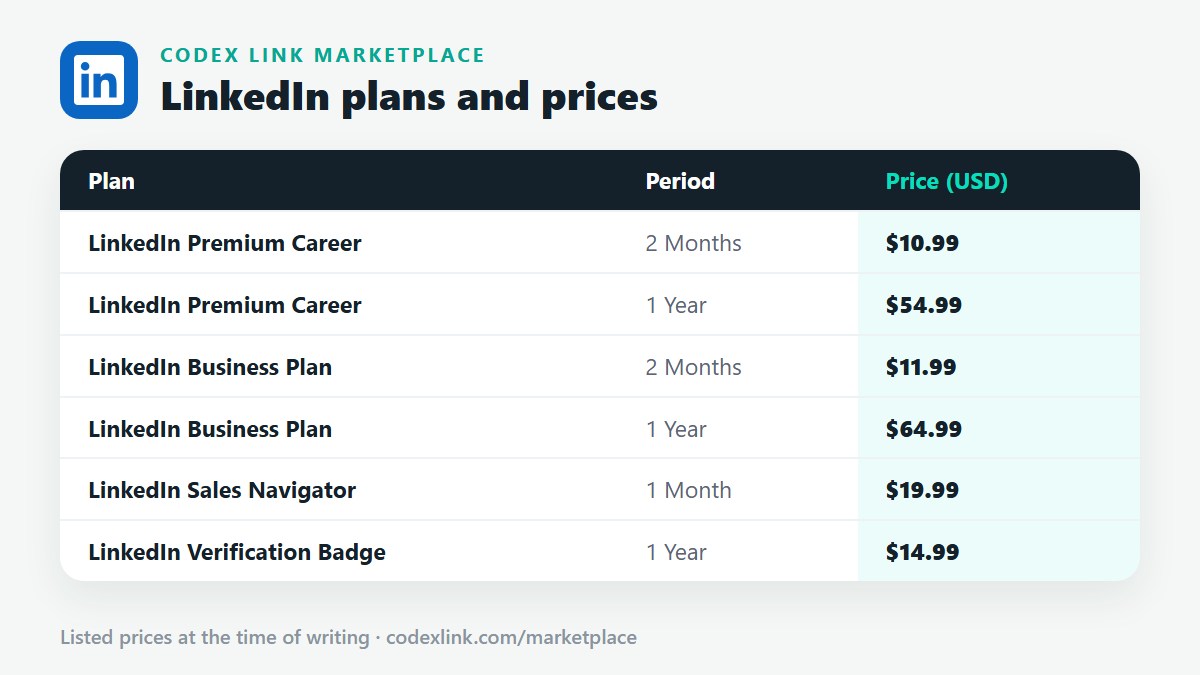
These are the LinkedIn plans listed on the CodeX Link marketplace at the time of writing. Message the team on WhatsApp to confirm the price and how activation works before you order.
| Plan | Period | CodeX Link price |
|---|---|---|
| LinkedIn Premium Career | 2 Months | $10.99 |
| LinkedIn Premium Career | 1 Year | $54.99 |
| LinkedIn Business Plan | 2 Months | $11.99 |
| LinkedIn Business Plan | 1 Year | $64.99 |
| LinkedIn Sales Navigator | 1 Month | $19.99 |
| LinkedIn Verification Badge | 1 Year | $14.99 |
Need a LinkedIn plan?
Chat with the CodeX Link team for the current price and activation details, or browse every tool in the marketplace.
LinkedIn is a trademark of its owner. Features, limits and prices change over time and differ by country, so confirm the current terms on LinkedIn before you buy.