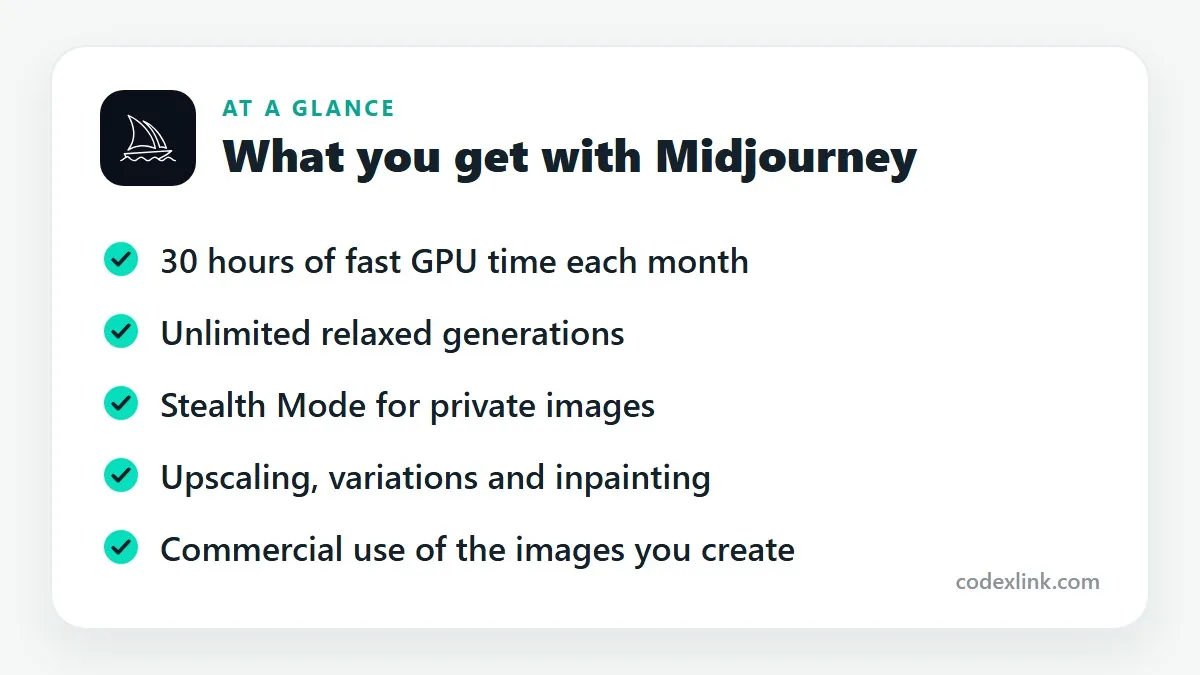
Midjourney Pro is one of Midjourney's higher-tier plans for AI image generation. It includes 30 hours of fast GPU time a month, unlimited relaxed generations and Stealth Mode, which keeps your images out of the public gallery.
Key takeaways
- Midjourney has no ongoing free tier. You choose between Basic, Standard, Pro and Mega plans.
- Pro adds more fast generation time, unlimited relaxed generations and Stealth Mode, which keeps your images private.
- Clear, specific prompts matter more than the plan you're on.
Midjourney produces some of the most striking AI images available, and it has a look people recognise: rich lighting, strong composition, a painterly finish even on realistic scenes. It's used for concept art, advertising mock-ups, book covers, product visuals and plenty of personal projects.
If you're deciding which plan to take, this guide explains how the plans differ and what Pro adds.
How Midjourney works
You describe an image in words, called a prompt, and Midjourney generates four options. From there you can create variations, upscale your favourite, or edit part of the image.
It started inside Discord and now also has its own website, where you can generate, organise and edit images in a regular interface.
The plans
Midjourney offers four tiers: Basic, Standard, Pro and Mega. They differ mainly in generation time and privacy.
Fast and relaxed time. Generations use GPU time. Fast mode gives results in under a minute. Relaxed mode queues your job and takes longer but doesn't use your fast allowance. Basic has a small fast allowance and no relaxed mode. Standard and above include unlimited relaxed generations.
Stealth Mode. By default, images you make can appear in Midjourney's public gallery. Stealth Mode, available on Pro and Mega, keeps them out of it.
Concurrent jobs. Higher plans run more jobs at once.
What Pro gives you
The Pro plan includes 30 hours of fast GPU time a month, unlimited relaxed generations, Stealth Mode and more concurrent jobs than Standard.
In practice, Pro is the plan for people using Midjourney for client or commercial work. Agencies testing campaign concepts usually don't want those concepts public. Stealth Mode solves that.
Commercial use
Paid subscribers can generally use the images they create commercially. Midjourney's terms add a condition for larger businesses: companies above a certain annual revenue must be on the Pro or Mega plan to do so.
Two cautions. Copyright law for AI-generated images is unsettled and differs by country, so you may not be able to stop others copying an image. And prompts that imitate a living artist or a trademarked character carry obvious risk. Read Midjourney's current terms before using images in paid work.
Writing prompts that work
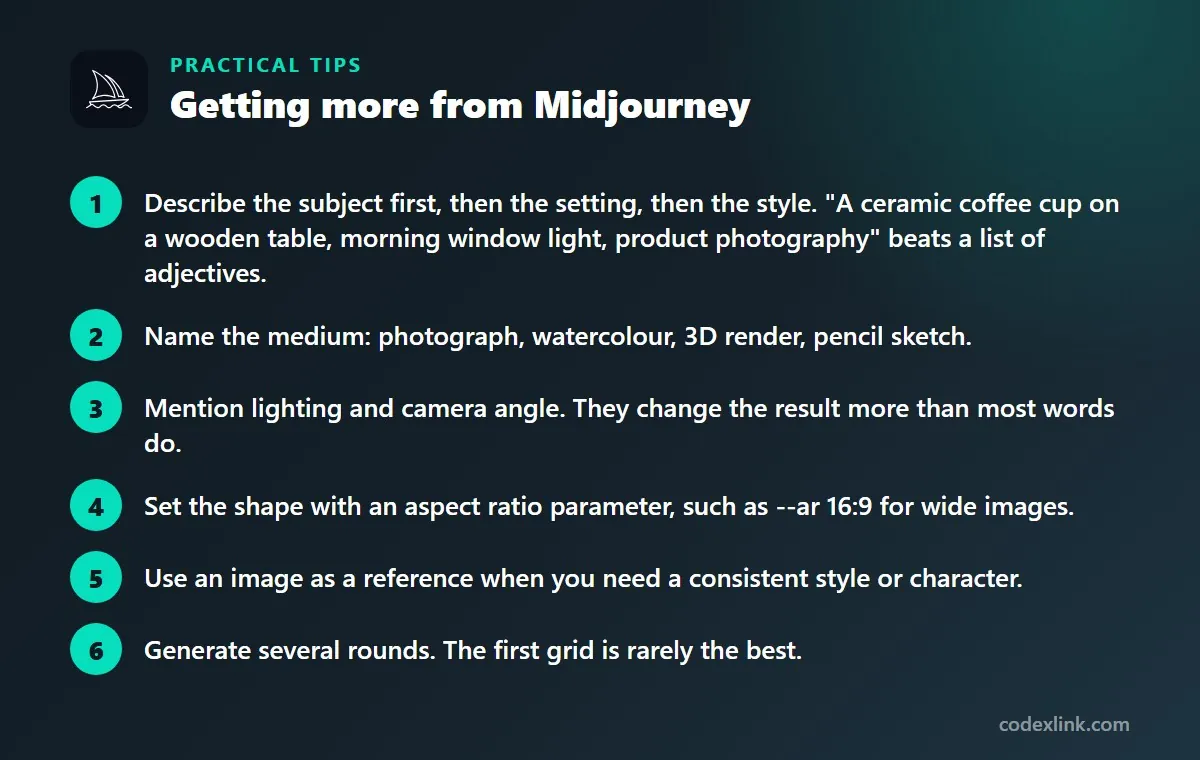
- Describe the subject first, then the setting, then the style. "A ceramic coffee cup on a wooden table, morning window light, product photography" beats a list of adjectives.
- Name the medium: photograph, watercolour, 3D render, pencil sketch.
- Mention lighting and camera angle. They change the result more than most words do.
- Set the shape with an aspect ratio parameter, such as --ar 16:9 for wide images.
- Use an image as a reference when you need a consistent style or character.
- Generate several rounds. The first grid is rarely the best.
Use relaxed mode for exploration and save fast hours for final renders and upscales.
Which plan should you choose?
Basic suits people trying Midjourney out. Standard is the sensible choice for regular personal use. Pro makes sense when you need privacy, you're a larger business, or you generate enough that fast hours run out. Mega is for studios producing at volume.
Midjourney availability and pricing around the world
Midjourney is available worldwide through its website and Discord. Plans are priced in US dollars, and sales tax or VAT is added in countries where Midjourney is required to collect it.
Prompts work best in English, although other languages are understood to a degree. The rules on using AI-generated images commercially, and on copyright in them, differ between countries, so check the position where you do business.
Midjourney Standard vs Midjourney Pro: quick comparison
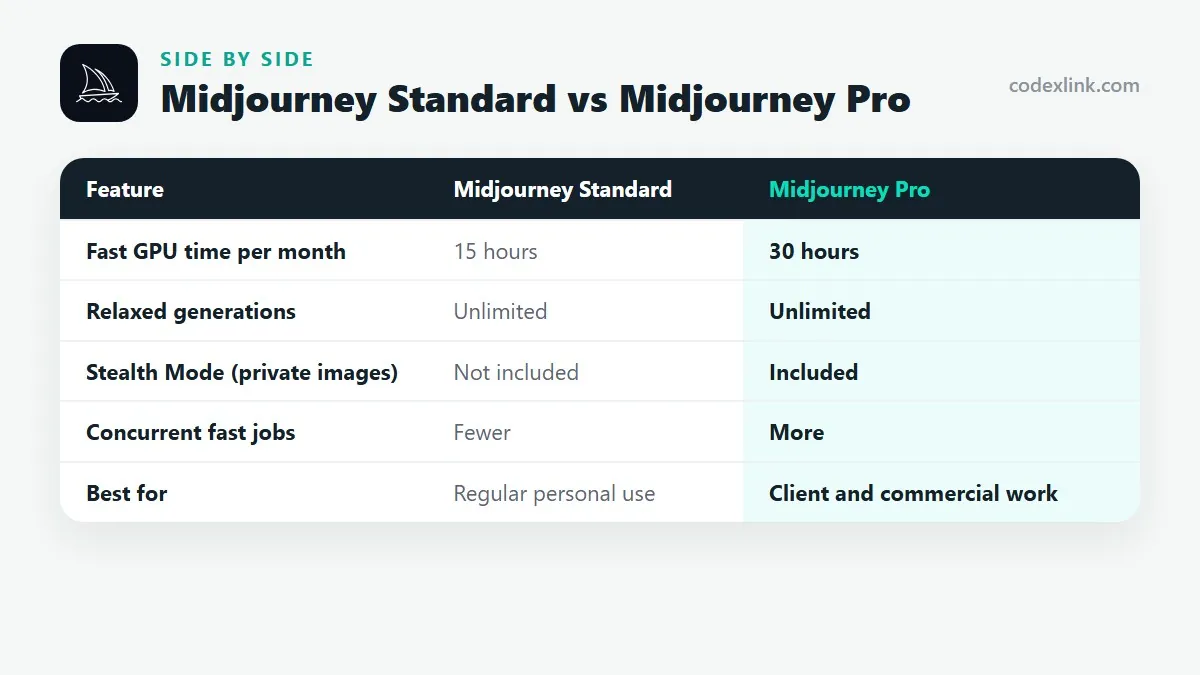
| Feature | Midjourney Standard | Midjourney Pro |
|---|---|---|
| Fast GPU time per month | 15 hours | 30 hours |
| Relaxed generations | Unlimited | Unlimited |
| Stealth Mode (private images) | Not included | Included |
| Concurrent fast jobs | Fewer | More |
| Best for | Regular personal use | Client and commercial work |
Midjourney pros and cons
Pros
- Stealth Mode keeps client concepts private
- Twice the fast generation time of Standard
- Meets Midjourney's plan requirement for larger businesses
Cons
- No free tier to try first
- Copyright status of AI images is unsettled
- Costs more than most hobbyists need
Getting started with Midjourney, step by step
- Use the Midjourney website to create, organise and download images; Discord is still available but optional.
- Write a clear prompt: subject, setting, style, lighting, composition and mood, for example "product photo of a ceramic coffee mug on a wooden table, soft morning light, minimal, shallow depth of field".
- Set the aspect ratio for where the image will be used, such as 1:1 for Instagram, 16:9 for YouTube or 4:5 for portrait posts.
- Iterate: make variations of the best result and upscale the final choice.
- Organise your gallery into folders by project so you can reuse styles that work.
Using Midjourney in business
- Marketing visuals: backgrounds, concept images and campaign mood boards.
- Product mock-ups: lifestyle scenes for concepts, combined with real product photos for accuracy.
- Website and blog images: original illustrations instead of overused stock photos.
- Presentations and pitch decks: custom visuals that match your message.
Paid Midjourney plans allow commercial use under Midjourney's terms, and larger companies have additional requirements on higher tiers. Images created on lower tiers may be visible in the public gallery unless you use a plan with Stealth Mode. Check the current terms before using images for client work.
Alternatives to Midjourney
- ChatGPT image generation: convenient inside ChatGPT, strong at following detailed instructions and text.
- Adobe Firefly: built into Adobe apps, designed with commercial safety in mind.
- Ideogram: known for good text inside images, useful for posters and social graphics.
- Stable Diffusion: open models you can run locally or through services, with full control for technical users.
Read our full comparison of the best AI image generators.
Mistakes to avoid
- Vague prompts: "a nice logo" gives random results; describe style, colours and use.
- Using AI images as final logos: AI output is hard to trademark and edit; use it for ideas, then design the final logo as vector artwork.
- Copying living artists' styles or real people: this raises legal and ethical problems; create your own style.
- Ignoring hands, text and details: inspect images closely before publishing.
- Forgetting privacy settings: check whether your images are public in the gallery.
How to choose the right Midjourney plan
Midjourney plans differ mainly in how much fast GPU time you get, how many jobs run at once, and privacy options.
- Occasional use: a lower plan is enough for a few images a week.
- Daily creative work: a mid-tier plan adds more fast time and relaxed generations.
- Client and confidential work: choose a plan with Stealth Mode so images stay out of the public gallery.
- Heavy production: higher plans add more fast hours and concurrent jobs.
- Companies above Midjourney's revenue threshold: check the terms, which require higher plans for commercial use at that size.
Plan limits and terms change, so check Midjourney's current plan page before choosing.
Prompt examples that work
Good prompts describe the subject, the scene, the style and the technical look. These examples show the structure you can adapt for your own business.
- Product scene: "handmade leather wallet on a dark walnut desk, warm side lighting, shallow depth of field, editorial product photography".
- Blog header: "flat illustration of a small team planning a website on a large screen, soft pastel colours, clean shapes, wide composition".
- Social background: "abstract gradient waves in deep blue and teal, smooth, minimal, space for text on the left".
- Real estate mood board: "bright modern living room with large windows, natural wood, plants, Scandinavian interior design, daylight".
Account security and billing tips
A paid Midjourney plan is only useful while your account stays safe and your billing stays under control.
- Use a strong, unique password for your Midjourney account and turn on two-step verification where it is offered.
- Never share your login with sellers or colleagues; genuine subscriptions are activated on your own account.
- Note the renewal date in your calendar and check the billing email that confirms each payment.
- Keep invoices for business purchases, as you may be able to claim them as an expense.
- Download and back up the images you plan to use, and keep the prompt with each final image for reference.
Getting Midjourney through CodeX Link
Midjourney Pro is listed in the CodeX Link marketplace. Message the team on WhatsApp to confirm the plan, the price and how access is provided.
How to order
- Choose Midjourney Pro on the marketplace.
- Message the team on WhatsApp to confirm the price, plan and activation steps.
- Complete activation and start using it.
Frequently asked questions
Is Midjourney free?
No. Midjourney doesn't offer an ongoing free tier. You need a paid plan to generate images, though it has occasionally run limited free trials.
What is the difference between Midjourney Standard and Pro?
Pro has double the fast GPU time, more concurrent jobs and Stealth Mode, which keeps your images private. Both include unlimited relaxed generations.
Can I use Midjourney images commercially?
Paid subscribers generally can. Businesses above the revenue threshold in Midjourney's terms must be on the Pro or Mega plan. Check the current terms for your situation.
What is Stealth Mode in Midjourney?
Stealth Mode stops your generated images from appearing in Midjourney's public gallery. It's available on the Pro and Mega plans.
Do I need Discord to use Midjourney?
Not any more. Midjourney has its own website for creating and managing images, and Discord remains an option.
Can I use Midjourney from any country?
Yes, Midjourney can be used from almost anywhere with internet access. It is billed in US dollars, with local tax added where applicable.
How much does Midjourney cost?
The official price is set by the provider and varies by country, plan and billing period. CodeX Link has special offers on Midjourney Pro; ask the team on WhatsApp for today's price.
How do I buy Midjourney from CodeX Link?
Choose Midjourney Pro on the CodeX Link marketplace, then message the team on WhatsApp to confirm the price and plan. They guide you through payment and activation.
Interested in Midjourney?
Chat with the CodeX Link team for the current price and activation details, or browse every tool in the marketplace.
Product names and logos belong to their respective owners. Features and plan details change over time, so confirm the current terms with the provider before you buy.