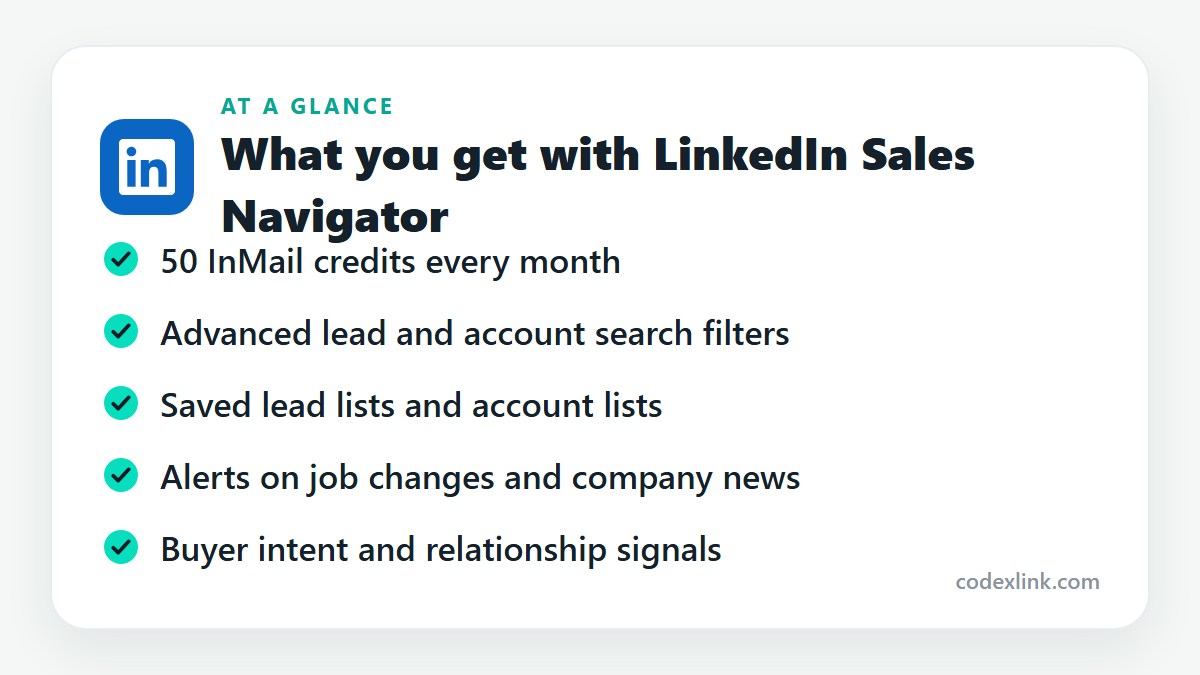
LinkedIn Sales Navigator is LinkedIn's dedicated prospecting tool for sales teams. It adds advanced lead and account filters, saved lists, alerts on job changes and company news, and 50 InMail credits a month on the Core plan.
Key takeaways
- Sales Navigator is a separate prospecting workspace on top of LinkedIn, with far more precise search than any Premium plan.
- Its value comes from three things: advanced filters, saved lead and account lists, and alerts when something changes.
- It suits people who prospect every week. Occasional networkers will not use enough of it.
If you sell to businesses, you already know the hard part isn't writing the message. It's working out who to send it to. LinkedIn Sales Navigator exists for that step.
It is not a bigger version of LinkedIn Premium. It's a different tool with its own search, its own inbox and its own home feed, all built around finding and tracking buyers.
What makes it different from Premium
On normal LinkedIn you search by title, location and company. In Sales Navigator you can combine dozens of filters: seniority, years in role, company headcount, headcount growth, industry, recent job changes, whether someone has posted lately, and more.
That precision is the product. Instead of 40,000 results for "marketing manager", you get 180 marketing leaders at software companies with 50 to 200 staff who changed jobs in the last three months.
Core features
Advanced lead and account search. Search for people or for companies, then save the search so new matches appear automatically.
Lead and account lists. Save prospects into lists and keep notes on each one. This is where Sales Navigator starts to replace the spreadsheet most people use.
Alerts. You're told when a saved lead changes job, posts, or appears in the news, and when a saved account raises funding or hires heavily. Each alert is a reason to get in touch that isn't "just checking in".
50 InMail credits a month. Enough for steady outreach, especially as credits return when people reply.
Buyer intent signals. Sales Navigator highlights accounts where people have been viewing your company or engaging with your content.
A note on plans
Sales Navigator comes in tiers, usually called Core, Advanced and Advanced Plus. Core has the search, lists, alerts and InMail that individual sellers need. Team sharing features and CRM synchronisation with tools like Salesforce or HubSpot sit in the higher tiers. Check which tier you are getting before you assume a CRM connection is included.
How to use it well
Most people who are disappointed with Sales Navigator treat it as a bigger address book. It works better as a routine.
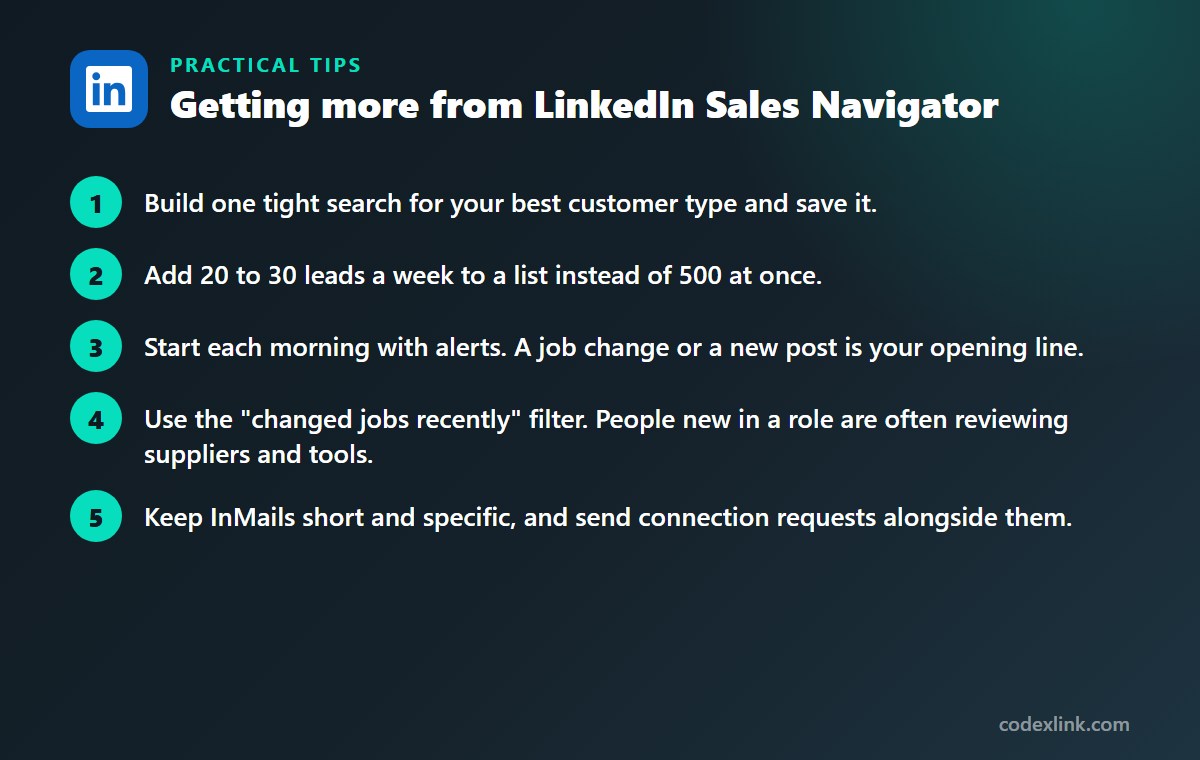
- Build one tight search for your best customer type and save it.
- Add 20 to 30 leads a week to a list instead of 500 at once.
- Start each morning with alerts. A job change or a new post is your opening line.
- Use the "changed jobs recently" filter. People new in a role are often reviewing suppliers and tools.
- Keep InMails short and specific, and send connection requests alongside them.
Thirty well-chosen conversations beat three hundred cold templates, and they keep your account in good standing with LinkedIn.
Who should use it
Sales Navigator fits B2B sales reps, agency owners, recruiters working niche markets and founders doing their own outbound. If prospecting is a weekly task, it saves real time.
If you only need to reach a handful of people a month, LinkedIn Premium Business is cheaper and simpler.
LinkedIn Sales Navigator availability and pricing around the world
Sales Navigator is available to LinkedIn members in most countries, with pricing set per country and tax added where it applies. The search filters cover LinkedIn's global member base, so you can prospect into any market from wherever you are.
Results depend on how widely LinkedIn is used in your target country. It is strongest in North America, Europe, India, the Gulf and much of Asia-Pacific, and thinner in markets where professionals favour other networks.
Premium Business vs Sales Navigator Core: quick comparison
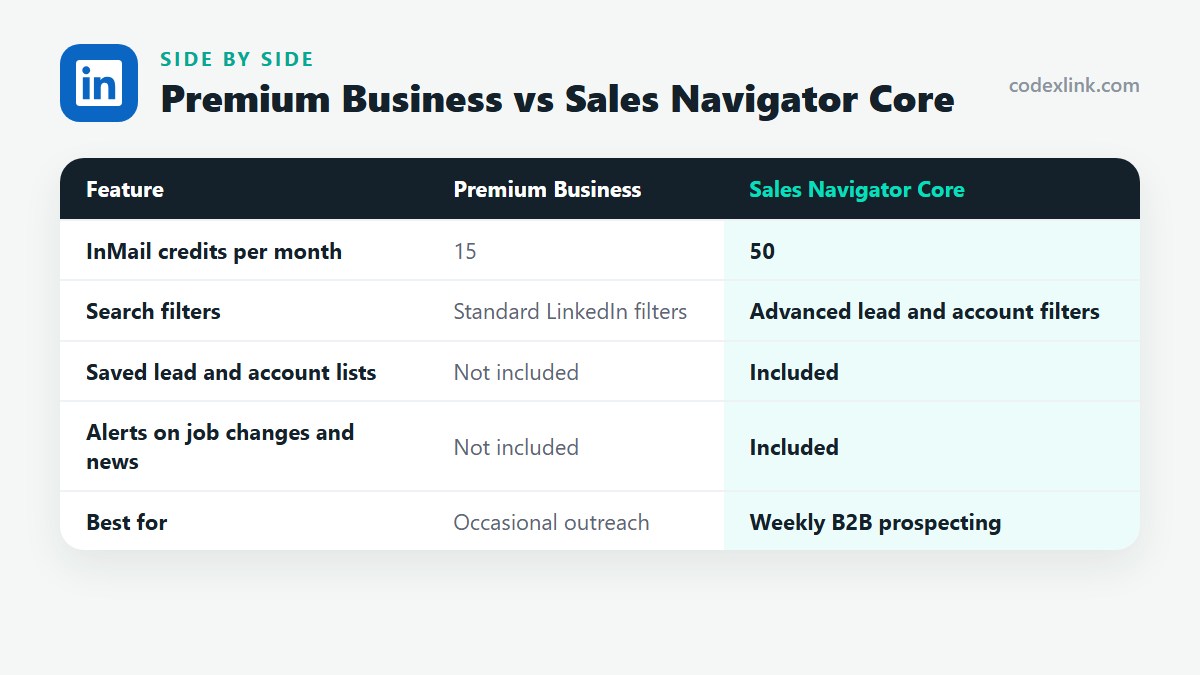
| Feature | Premium Business | Sales Navigator Core |
|---|---|---|
| InMail credits per month | 15 | 50 |
| Search filters | Standard LinkedIn filters | Advanced lead and account filters |
| Saved lead and account lists | Not included | Included |
| Alerts on job changes and news | Not included | Included |
| Best for | Occasional outreach | Weekly B2B prospecting |
LinkedIn Sales Navigator pros and cons
Pros
- Far more precise search than any Premium plan
- Alerts give you a timely reason to get in touch
- Lists and notes replace a prospecting spreadsheet
Cons
- Costs more than the Premium plans
- CRM sync needs a higher tier
- Takes a routine to get value from it
Getting Sales Navigator through CodeX Link
CodeX Link lists LinkedIn Sales Navigator in its marketplace. Message the team on WhatsApp to confirm the tier, the price and how activation works before you order.
How to order
- Choose LinkedIn Sales Navigator on the marketplace.
- Message the team on WhatsApp to confirm the price, plan and activation steps.
- Complete activation and start using it.
Frequently asked questions
What is LinkedIn Sales Navigator used for?
It is used to find, save and track potential customers on LinkedIn. Sales teams use it to build targeted lead lists and to time their outreach around job changes and company news.
Is Sales Navigator better than LinkedIn Premium?
For prospecting, yes. It has far more search filters, saved lists and alerts. For job hunting or general networking, a Premium plan is the better fit and costs less.
How many InMails does Sales Navigator include?
The Core plan includes 50 InMail credits a month. Credits are returned when a recipient responds.
Does Sales Navigator integrate with a CRM?
CRM synchronisation is part of the higher tiers, not the Core plan. Confirm the tier if you need leads and activity to sync with Salesforce, HubSpot or another CRM.
Can leads see that I viewed their profile in Sales Navigator?
Profile views follow your LinkedIn privacy settings. If your viewing mode is set to show your name, leads can see that you visited.
Can I use Sales Navigator to find leads in other countries?
Yes. You can filter leads and accounts by country, region or city anywhere LinkedIn has members. Coverage is best in markets where LinkedIn is widely used for business.
How much does LinkedIn Sales Navigator cost?
The official price is set by the provider and varies by country, plan and billing period. On the CodeX Link marketplace, LinkedIn Sales Navigator is listed at $39.99 per month at the time of writing.
How do I buy LinkedIn Sales Navigator from CodeX Link?
Choose LinkedIn Sales Navigator on the CodeX Link marketplace, then message the team on WhatsApp to confirm the price and plan. They guide you through payment and activation.
Interested in LinkedIn Sales Navigator?
Chat with the CodeX Link team for the current price and activation details, or browse every tool in the marketplace.
Product names and logos belong to their respective owners. Features and plan details change over time, so confirm the current terms with the provider before you buy.